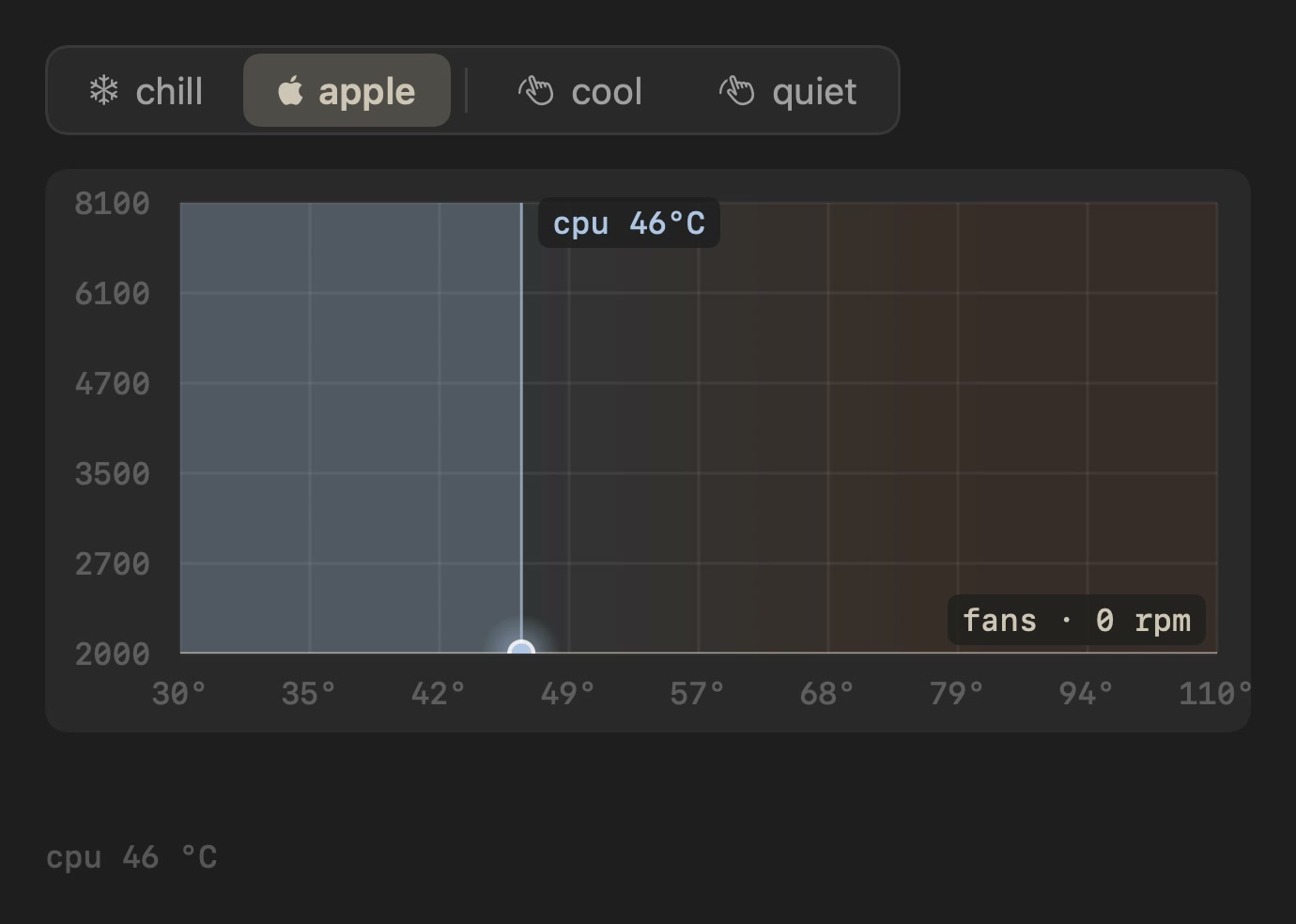
a menu bar app performed on a Mac screen, played or as a still
npx shadcn add @ag/macosAlready installed? Preview an update
npx shadcn add @ag/macos --dry-runYour installed source stays unchanged until you update it. How updates work
Latest changes · 2026-10-08
- Change: the popover's clip is a
videofollowing the scene's clock, its still in the first paint as before. Pulls@ag/video. - Fix: the popover's corners and a frameless stage's corners stay smooth while the clip plays (
clip-rounded).
also called menubar
shelf devices & demos
comes with macos-session
uses terminal-session, device-frame, agent-session, kbd, playback, person, avatar, video
the demo above, verbatim
"use client"

import * as React from "react"
import { Sample } from "@/app/samples"
import artJson from "@/public/macos/awake/art.json"
import heroJson from "@/public/macos/awake/hero.json"
import lidYoursJson from "@/public/macos/awake/lid-yours.json"
import menuBarJson from "@/public/macos/awake/menu-bar.json"
import safetyNetsJson from "@/public/macos/awake/safety-nets.json"
import chillArtJson from "@/public/macos/chill/art.json"
import chillHeroJson from "@/public/macos/chill/hero.json"
import {
  type Art,
  frameAt,
  sceneClock,
  type Timeline,
} from "@/registry/base-nova/lib/macos-session"
import { ClaudeCode } from "@/registry/base-nova/ui/claude-code"
import { Codex } from "@/registry/base-nova/ui/codex"
import { Macos, type MacosDevice } from "@/registry/base-nova/ui/macos"
import { Player } from "@/registry/base-nova/ui/player"
import { ScrollArea } from "@/registry/base-nova/ui/scroll-area"

// #region scenes
// Real timelines, not hand-written ones: awake compiles them from its scene scripts
// through its own engine (`mise scene` in the awake repo writes public/macos/awake/),
// and art.json is its glyphs and icon drawn by its own code. `mise scene:watch` there
// recompiles on every save, and this page picks the file up.
const SCENES = {
  hero: heroJson,
  "menu-bar": menuBarJson,
  "lid-yours": lidYoursJson,
  "safety-nets": safetyNetsJson,
} as Record<string, Timeline>
const ART = artJson as Art
// The agents a story may open in its terminal: the page picks the skins.
const AGENTS = { claude: ClaudeCode, codex: Codex }
// #endregion

// #region heat
// A scene's heat is steps like any other (`thermal`: a reading the stage glides
// between, a `depth` for how deep it looks), folded at the playhead with the lid,
// the camera and the captions. chill's hero is one simulation (`mise scene` in the
// chill repo writes public/macos/chill/): its popover, a clip its own views
// rendered, and the heat in the base, Apple's curve then chill's, with chill's own
// glyph in the menu bar.
const CHILL_HERO = chillHeroJson as Timeline
const CHILL_ART = chillArtJson as Art
// #endregion

export default function MacosDemo() {
  return (
    <div className="space-y-16">
      <Sample
        name="played"
        title="in a player"
        description="plays once, in view"
        with="scenes"
      >
        <Played
          timeline={SCENES["lid-yours"] as Timeline}
          alt="awake: a coding agent asks to survive lid close, you allow it from the menu, close the lid, and the Mac sleeps when the agent exits"
        />
      </Sample>
      <Sample
        name="macbook"
        glance="large"
        title="on a macbook"
        description="the lid folds when the scene closes it"
        with="scenes"
      >
        <Played
          timeline={SCENES["safety-nets"] as Timeline}
          device="macbook"
          alt="awake: held awake with the lid shut in a bag, it sleeps when it gets too hot, and again when the battery runs low"
        />
      </Sample>
      <Sample
        name="heat"
        title="heat"
        description="chill's hero: the popover and the heat, one story"
        with="heat"
      >
        <Played
          timeline={CHILL_HERO}
          art={CHILL_ART}
          accent="#cfc5b4"
          device="macbook"
          alt="chill: under load the case heats up while Apple's fans sit at their floor; pressing chill hands the fans to its curve and the Mac cools under the same load"
        />
      </Sample>
      <Sample
        name="display"
        title="on a display"
        description="the panel sleeps instead"
        with="scenes"
      >
        <Played
          timeline={SCENES["menu-bar"] as Timeline}
          device="display"
          alt="awake: right-click the cup, ⌃⌥⌘A or the awake command flip the same switch, and the menu shows what holds the Mac awake"
        />
      </Sample>
      <Sample
        name="studio"
        title="studio"
        description="pick, scrub, step"
        with="scenes"
      >
        <Studio scenes={SCENES} art={ART} />
      </Sample>
    </div>
  )
}

/** A scene in the player: the stage draws, the player moves time through its clip. */
function Played({
  timeline,
  art = ART,
  accent = "#e7a13c",
  device,
  alt,
}: {
  timeline: Timeline
  art?: Art
  accent?: string
  device?: MacosDevice
  alt: string
}) {
  const clock = React.useMemo(() => sceneClock(timeline), [timeline])
  return (
    <Player clip={clock.clip} label={alt}>
      <Macos
        timeline={timeline}
        art={art}
        agents={AGENTS}
        accent={accent}
        device={device}
        alt={alt}
      />
    </Player>
  )
}

/** The iteration surface: a scene at a chosen instant, its timeline as a list of steps
 *  to jump between, and play from wherever the cursor is. */
function Studio({
  scenes,
  art,
}: {
  scenes: Record<string, Timeline>
  art: Art
}) {
  const [name, setName] = React.useState(Object.keys(scenes)[0] as string)
  const [device, setDevice] = React.useState<MacosDevice | "screen">("macbook")
  const timeline = scenes[name] as Timeline
  const clock = React.useMemo(() => sceneClock(timeline), [timeline])
  const [ms, setMs] = React.useState(0)
  const [playing, setPlaying] = React.useState(false)

  React.useEffect(() => {
    if (!playing) return
    let frame = 0
    let last = performance.now()
    const tick = (now: number) => {
      setMs((v) => {
        const next = v + (now - last)
        if (next >= clock.total) setPlaying(false)
        return Math.min(clock.total, next)
      })
      last = now
      frame = requestAnimationFrame(tick)
    }
    frame = requestAnimationFrame(tick)
    return () => cancelAnimationFrame(frame)
  }, [playing, clock.total])

  const current = frameAt(timeline, clock, ms).step
  return (
    <div className="grid gap-8 lg:grid-cols-[1fr_280px]">
      <div className="space-y-4">
        <Macos
          timeline={timeline}
          art={art}
          agents={AGENTS}
          progress={ms / clock.total}
          accent="#e7a13c"
          device={device === "screen" ? undefined : device}
          alt={`awake, scene ${name}`}
        />
        <div className="flex items-center gap-3 font-mono text-xs lowercase">
          <select
            className="rounded-md border border-border bg-transparent px-2 py-1"
            value={name}
            onChange={(e) => {
              setPlaying(false)
              setMs(0)
              setName(e.target.value)
            }}
            aria-label="scene"
          >
            {Object.keys(scenes).map((n) => (
              <option key={n}>{n}</option>
            ))}
          </select>
          <select
            className="rounded-md border border-border bg-transparent px-2 py-1"
            value={device}
            onChange={(e) =>
              setDevice(e.target.value as MacosDevice | "screen")
            }
            aria-label="device"
          >
            <option>macbook</option>
            <option>display</option>
            <option>screen</option>
          </select>
          <button
            type="button"
            className="w-14 rounded-md border border-border px-2 py-1"
            onClick={() => {
              if (ms >= clock.total) setMs(0)
              setPlaying((p) => !p)
            }}
          >
            {playing ? "pause" : "play"}
          </button>
          <input
            type="range"
            className="flex-1"
            min={0}
            max={clock.total}
            value={ms}
            onChange={(e) => {
              setPlaying(false)
              setMs(Number(e.target.value))
            }}
            aria-label="scene position"
          />
          <span className="w-24 text-right text-muted-foreground tabular-nums">
            {(ms / 1000).toFixed(1)}s / {(clock.total / 1000).toFixed(1)}s
          </span>
        </div>
      </div>
      <ScrollArea
        render={<ol />}
        className="max-h-[520px] space-y-px font-mono text-xs"
      >
        {timeline.steps.map((s, i) => (
          // biome-ignore lint/suspicious/noArrayIndexKey: steps are positional
          <li key={i}>
            <button
              type="button"
              className={
                i === current
                  ? "w-full rounded bg-foreground/8 px-2 py-1 text-left"
                  : "w-full rounded px-2 py-1 text-left text-muted-foreground hover:bg-foreground/4"
              }
              onClick={() => {
                setPlaying(false)
                setMs(clock.ends[i] as number)
              }}
            >
              <span className="text-foreground/40 tabular-nums">
                {((clock.starts[i] as number) / 1000).toFixed(1)}
              </span>{" "}
              {s.kind}{" "}
              <span className="text-foreground/60">
                {s.text ?? s.glyph ?? s.keys ?? s.world?.clock ?? ""}
              </span>
            </button>
          </li>
        ))}
      </ScrollArea>
    </div>
  )
}
the source, every file an install writes
"use client"
// A menu bar app, performed: the menu bar with the app's own glyph, its real menu, the
// terminal driving it, its banners, the chord pressed, the lid closing and the Mac
// going to sleep. Every word and pixel comes from the app (a timeline its own engine
// compiled, lib/macos-session); this draws the frame at a moment, and something else
// moves time: inside `<Player clip={sceneClock(timeline).clip}>` it plays, inside a
// scroll stage it scrolls, with a fixed `progress` it is a still (a link card, a
// film frame).
// Display-only: role="img", zero focusables.
//
// The screen is laid out once at the width of a small Mac screen (STAGE_WIDTH) and
// scaled to whatever box holds it, so a menu keeps its real proportions from a phone to
// a hero, and the same screen fits a MacBook's 16:10 panel or a display's 16:9. On a
// MacBook (`device="macbook"`) the scene drives device-frame's hinge, so closing the
// lid closes the laptop, and its `thermal` steps drive the frame's heat view (the
// skin, the insides), faded in and out on the same clock as everything else.
import { TriangleAlert } from "lucide-react"
import * as React from "react"
import { cn } from "@/lib/utils"
import type { AgentViewProps } from "@/registry/base-nova/lib/agent-session"
import {
type Art,
type FocusKind,
type Frame,
focusSpans,
frameAt,
KEY_MS,
LOCK_MS,
lapseAt,
lidTravel,
type MenuRow,
PRESS_MS,
pointerAt,
pointerTargets,
type SceneClock,
type Surface,
sceneClock,
type TerminalLine,
type Timeline,
thermalKeys,
zoomAt,
} from "@/registry/base-nova/lib/macos-session"
import type { Person } from "@/registry/base-nova/lib/person"
import {
LINE_HEIGHT,
terminalPalette,
} from "@/registry/base-nova/lib/terminal-session"
import { thermalAt } from "@/registry/base-nova/lib/thermal"
import { Avatar } from "@/registry/base-nova/ui/avatar"
import {
MacbookFrame,
StudioDisplayFrame,
} from "@/registry/base-nova/ui/device-frame"
import { Kbd, KeysText } from "@/registry/base-nova/ui/kbd"
import { usePlayhead } from "@/registry/base-nova/ui/playback"
import { Video } from "@/registry/base-nova/ui/video"
/** The hardware around the screen. Absent: the screen alone, rounded. */
export type MacosDevice = "macbook" | "display"
export interface MacosProps {
timeline: Timeline
art: Art
/** The moment drawn, 0..1 of the story, for a still. Inside a driver (a Player)
* omit it: the driver provides the moment. */
progress?: number
/** The app's accent: menu highlight, terminal phosphor. */
accent?: string
/** A MacBook (the lid folds when the scene closes it) or a display (it sleeps). */
device?: MacosDevice
/** The coding agents a story may open in its terminal, by the name its timeline
* uses (`{ claude: ClaudeCode, codex: Codex }`): the page chooses the skins, so
* this component depends on none of them. */
agents?: Record<string, React.ComponentType<AgentViewProps>>
/** The person this Mac belongs to, the account its lock screen shows: the page
* chooses who. Absent, the lock screen shows a silhouette and no name. */
user?: Person
/** A still of a surface's clip at a second, at a width in pixels: where the
* page's media can be cut (a CDN's frame extraction). With it, a surface
* first drawn at any second shows that very frame while its video loads;
* without it, only a surface opened at its clip's start (whose poster IS
* that frame) shows whole, any other waits unseen for its video. */
still?: (src: string, second: number, width: number) => string
/** The story's captions on a line under the device. Off, the stage shows only
* the Mac; a Player's bar still names each chapter under the pointer. */
captions?: boolean
/** Past the story's end the machine keeps running: the fans turn on at their
* last speed and the sensors drift, while the stage is on screen. Off, the
* last frame holds still (nothing animates indefinitely unless asked). */
runsOn?: boolean
/** Windows on the desktop (a `Browser`, a `BrowserSession`), over the wallpaper
* and under the menu bar, the terminal and everything the story opens. Laid out
* in the stage's own pixels, 960 wide and as tall as the screen's shape makes
* it (600 on a MacBook's 16:10), so a window keeps its proportions at any size.
* On the scene's clock: content inside follows the same playhead. */
children?: React.ReactNode
/** The frontmost app, whose name leads the menu bar. Default: Terminal when the
* story types, else Finder. */
front?: string
/** Accessible description (the stage is one picture). */
alt: string
className?: string
}
/** The design width, in CSS px: a 13-inch Mac at half scale, where a 13px menu reads
* as a menu. The height follows the box the screen is given. */
const STAGE_WIDTH = 960
/** The OS being depicted speaks in its own face, not the page's. */
const SYSTEM = "-apple-system, BlinkMacSystemFont, system-ui, sans-serif"
const ROW = "flex h-[22px] items-center gap-1.5 rounded-[5px] px-2 text-[13px]"
/** The viewer's own time, as an English Mac spells it: `menu` for the menu bar
* ("9:41 AM"), `time` for the lock screen ("9:41"), `date` above it ("Tuesday,
* September 30"). */
interface Now {
menu: string
time: string
date: string
}
const MINUTE = 60_000
const minuteNow = () => Math.floor(Date.now() / MINUTE)
const tick = (changed: () => void) => {
const id = setInterval(changed, 15_000)
return () => clearInterval(id)
}
/** The current minute on the viewer's clock, in their timezone. Null on the
* server: its clock and timezone are not the viewer's, so its frame shows no time
* rather than a wrong one, and the browser fills it in at hydration. */
function useNow(): Now | null {
const minute = React.useSyncExternalStore(tick, minuteNow, () => null)
return React.useMemo(() => {
if (minute === null) return null
const at = new Date(minute * MINUTE)
const parts = new Intl.DateTimeFormat("en-US", {
hour: "numeric",
minute: "2-digit",
}).formatToParts(at)
const part = (type: Intl.DateTimeFormatPartTypes) =>
parts.find((p) => p.type === type)?.value
const time = `${part("hour")}:${part("minute")}`
return {
menu: `${time} ${part("dayPeriod")}`,
time,
date: new Intl.DateTimeFormat("en-US", {
weekday: "long",
month: "long",
day: "numeric",
}).format(at),
}
}, [minute])
}
/** Milliseconds the machine has run on past the story's end: counted a frame at
* a time while `active` and the stage is on screen in a visible tab, paused
* (never reset) while it is not, back to 0 when `active` drops (a replay, a
* scrub). */
function useRunOn(
stage: React.RefObject<HTMLDivElement | null>,
active: boolean,
): number {
const [ran, setRan] = React.useState(0)
React.useEffect(() => {
if (!active) {
setRan(0)
return
}
const el = stage.current
if (!el) return
let seen = false
let frame = 0
let last = 0
const tick = (now: number) => {
if (last) setRan((r) => r + (now - last))
last = now
frame = requestAnimationFrame(tick)
}
const sync = () => {
const run = seen && !document.hidden
if (run && !frame) {
last = 0
frame = requestAnimationFrame(tick)
} else if (!run && frame) {
cancelAnimationFrame(frame)
frame = 0
}
}
const io = new IntersectionObserver(([e]) => {
seen = !!e?.isIntersecting
sync()
})
io.observe(el)
document.addEventListener("visibilitychange", sync)
return () => {
io.disconnect()
document.removeEventListener("visibilitychange", sync)
cancelAnimationFrame(frame)
}
}, [stage, active])
return ran
}
export function Macos({
timeline,
art,
progress,
accent = "#0a84ff",
device,
agents,
user,
still,
captions: captioned = true,
runsOn = false,
children,
front,
alt,
className,
}: MacosProps) {
const clock = React.useMemo(() => sceneClock(timeline), [timeline])
const playhead = usePlayhead(progress)
const ms = playhead.at * clock.total
const viewport = React.useRef<HTMLDivElement>(null)
// The machine's own time: the story's, then on past its end while it runs on.
// A still (`progress`) never runs on.
const machineMs =
ms +
useRunOn(viewport, runsOn && progress === undefined && playhead.at >= 1)
const f = frameAt(timeline, clock, ms)
// 0 = open, 1 = shut, in between while it moves.
const travel = lidTravel(f, ms)
const shut = f.world.lid === "closed" ? travel : 1 - travel
// The machine's heat, drawn in the base (a MacBook's): eased between the
// readings, the view's depth and the fans' turns all at this instant.
const track = React.useMemo(
() => thermalKeys(timeline, clock),
[timeline, clock],
)
const reading = thermalAt(track, machineMs)
// Only a MacBook has a base to show it in: on a display or the bare screen
// the scene plays the same, its heat unshown.
const heat = device === "macbook" ? reading : null
// What the shut-lid status ever says in this story, so its slots are laid out
// once and nothing moves as values come and go.
const says = React.useMemo(
() => ({
gained: timeline.steps.some(
(s) => s.kind === "world" && s.world?.clock !== undefined,
),
chip: track.some((k) => k.reading?.parts.cpu !== undefined),
alert: timeline.steps.some((s) => s.kind === "world" && s.world?.heat),
}),
[timeline, track],
)
const now = useNow()
const screen = (
<Screen
timeline={timeline}
clock={clock}
now={now}
frame={f}
ms={ms}
playing={playhead.playing}
shut={shut}
art={art}
accent={accent}
agents={agents}
user={user}
still={still}
front={front}
>
{children}
</Screen>
)
const camera = useCamera(viewport, timeline, clock, ms)
// Every caption the story will show, so the line is as tall as its tallest from
// the first frame and the page never moves under the reader.
const captions = React.useMemo(
() => [
...new Set(
timeline.steps.flatMap((s) =>
s.kind === "caption" && s.text ? [s.text] : [],
),
),
],
[timeline],
)
const captionIn = Math.min(1, Math.max(0, (ms - f.captionSince) / 360))
const lapse = lapseAt(f, ms)
const cpu = reading?.parts.cpu
const lidSlots: LidSlot[] = [
...(says.gained
? [{ width: 8, align: "right", text: lapse.gained, lead: true } as const]
: []),
...(says.chip
? [
{
width: 10,
align: "center",
text: cpu === undefined ? null : `cpu ${Math.round(cpu)} °C`,
} as const,
]
: []),
{ width: 12, align: "center", text: `battery ${lapse.battery}%` },
{
width: 11,
align: "left",
text: f.world.asleep ? "asleep" : "still awake",
},
]
return (
<div
data-slot="macos"
className={cn("w-full", className)}
role="img"
aria-label={alt}
>
<div
ref={viewport}
aria-hidden="true"
className="relative overflow-hidden [container-type:inline-size]"
>
<div
data-slot="macos-camera"
style={{
transform: `scale(${camera.scale})`,
transformOrigin: `${camera.x}px ${camera.y}px`,
}}
>
{device === "macbook" ? (
<MacbookFrame
lid={shut}
thermal={heat ? { ...heat, t: machineMs / 1000 } : undefined}
>
{screen}
</MacbookFrame>
) : device === "display" ? (
<StudioDisplayFrame>{screen}</StudioDisplayFrame>
) : (
<div className="relative aspect-[16/10] clip-rounded rounded-xl">
{screen}
</div>
)}
</div>
{/* Time passing IS the story behind a shut lid, so it takes the stage: the
clock runs from where it was to where it lands like a time-lapse, the
time covered counts up, the battery counts down. In the space the shut
lid leaves (or over the dark panel), only in the shut half of the lid's
travel, never over a lit screen. */}
<div
data-slot="macos-lid-status"
className="pointer-events-none absolute inset-x-0 top-0 bottom-[12%] flex flex-col items-center justify-center gap-[1.2cqw] text-foreground tabular-nums"
style={{ opacity: Math.max(0, shut * 2 - 1) }}
>
<span
className="font-extralight text-[9cqw] leading-none tracking-tight"
style={{ fontFamily: SYSTEM }}
>
{lapse.clock ?? now?.time}
</span>
<LidStatus slots={lidSlots} />
{/* Heat is what a shut lid in a bag risks, so it is said here, where
the viewer is looking while the screen is dark: an alert, on its
own line, that stays once raised. */}
{says.alert && (
<span
role="alert"
className="mt-[0.6cqw] inline-flex items-center gap-[0.7cqw] rounded-full border border-[#ff6b4a]/20 bg-[#ff6b4a]/10 px-[1.2cqw] py-[0.45cqw] font-mono text-[#ff6b4a] text-[1.6cqw]"
style={{
opacity: f.heatAlert
? Math.min(1, Math.max(0, (ms - f.heatAlert.since) / 360))
: 0,
}}
>
<TriangleAlert
aria-hidden
className="size-[1.8cqw] shrink-0"
strokeWidth={2}
/>
critical heat
{f.heatAlert?.clock ? ` at ${f.heatAlert.clock}` : ""}
</span>
)}
</div>
{/* The presenter's overlays (the chord as keycaps, the mouse with the pressed
button lit) sit over the camera, not in it: they stay in view while the
camera closes in on what the input did. */}
{f.key && <Keycaps keys={f.key.keys} age={ms - f.key.since} />}
{f.click && (
<Mouse
button={f.click.button}
age={ms - f.click.since}
accent={accent}
/>
)}
</div>
{captioned && (
<div
data-slot="macos-caption"
className="mt-5 grid text-balance text-center text-[15px] text-foreground/80 leading-relaxed"
>
{/* A shortcut in a caption is drawn as the keys it is; the reserved
lines draw it too, so they are exactly as tall. */}
{captions.map((c) => (
<p key={c} className="invisible [grid-area:1/1]">
<KeysText>{c}</KeysText>
</p>
))}
<p
className="[grid-area:1/1]"
style={{
opacity: captionIn,
transform: `translateY(${(1 - captionIn) * 4}px)`,
}}
>
{f.caption && <KeysText>{f.caption}</KeysText>}
</p>
</div>
)}
</div>
)
}
/** The shut-lid status line: each slot as wide as the longest thing it says
* (mono, so in ch), whether or not it says it now, so a value arriving,
* leaving or growing a digit never moves the rest. A separator shows between
* two slots that both speak, in the line's own colour. */
interface LidSlot {
/** The longest thing it says, in ch. */
width: number
align: "left" | "center" | "right"
text: string | null
/** Said brighter than the rest: the time a lapse covered. */
lead?: boolean
}
function LidStatus({ slots }: { slots: LidSlot[] }) {
return (
<span className="flex font-mono text-[1.8cqw] text-foreground/70">
{slots.map((s, i) => (
<React.Fragment key={`${s.width}-${s.align}-${i.toString()}`}>
{i > 0 && (
<span
className={cn(
"w-[3ch] text-center",
(!s.text || !slots[i - 1]?.text) && "invisible",
)}
>
·
</span>
)}
<span
className={cn(s.lead && "text-foreground")}
style={{ width: `${s.width}ch`, textAlign: s.align }}
>
{s.text}
</span>
</React.Fragment>
))}
</span>
)
}
/** One frame of the Mac's screen, filling its box: laid out at STAGE_WIDTH and as
* tall as the box's shape allows, then scaled to it. */
function Screen({
timeline,
clock,
now,
frame: f,
ms,
playing,
shut,
art,
accent,
agents,
user,
still,
front,
children,
}: {
timeline: Timeline
clock: SceneClock
now: Now | null
frame: Frame
ms: number
playing: boolean
shut: number
art: Art
accent: string
agents: MacosProps["agents"]
user: Person | undefined
still: MacosProps["still"]
front: string | undefined
children: React.ReactNode
}) {
const app = timeline.app
const stage = React.useRef<HTMLDivElement>(null)
// This stage's own name for its status item, which its surface hangs from by
// CSS anchor positioning: one per stage, so Macs sharing a page never share
// an anchor. useId is the server's and the client's alike.
const anchor = `--macos-status-${React.useId().replace(/[^a-zA-Z0-9_-]/g, "")}`
const pointer = usePointer(stage, timeline, clock, ms, f)
// A story that types nothing has no terminal on screen, and Finder in front.
const typed = React.useMemo(
() => timeline.steps.some((s) => TYPED.has(s.kind)),
[timeline],
)
// The widest line the terminal will print, in characters: the window is sized
// to hold it, so no line of the story ever wraps.
const columns = React.useMemo(
() =>
Math.max(
0,
...timeline.steps.map((s) =>
s.kind === "command"
? (s.text?.length ?? 0) + 2
: s.kind === "output" || s.kind === "muted"
? (s.text?.length ?? 0)
: 0,
),
),
[timeline],
)
// A right-click presses the status item for a beat, as the menu bar does; an
// open menu or surface keeps it pressed.
const pressed =
f.menu !== null ||
f.surface !== null ||
(f.click?.button === "right" && ms - f.click.since < PRESS_MS + 120)
const surface = f.surface && art.surfaces?.[f.surface.name]
if (f.surface && !surface)
throw new Error(`macos: no surface "${f.surface.name}" in art.surfaces`)
return (
<div
data-slot="macos-screen"
className="absolute inset-0 overflow-hidden [container-type:size]"
>
{/* The scale is the box's width over the design width, done by CSS
(tan(atan2(a, b)) is a/b for two lengths), so the server's HTML already
holds the opening frame at its true size: nothing waits for a measure. */}
<div
ref={stage}
data-slot="macos-stage"
className="absolute top-0 left-0 origin-top-left overflow-hidden bg-[#06070f] text-white"
style={
{
width: STAGE_WIDTH,
height: `calc(${STAGE_WIDTH}px * tan(atan2(100cqh, 100cqw)))`,
transform: `scale(tan(atan2(100cqw, ${STAGE_WIDTH}px)))`,
fontFamily: SYSTEM,
"--ag-macos-accent": accent,
} as React.CSSProperties
}
>
<Wallpaper />
{children}
<MenuBar
app={app}
front={front ?? (typed ? "Terminal" : "Finder")}
glyph={art.glyphs[f.glyph]}
open={pressed}
clock={f.world.clock ?? now?.menu}
battery={f.world.battery}
charging={f.world.charging}
anchor={anchor}
>
{f.menu && (
<Menu
rows={f.menu.rows}
hover={f.menu.hover}
pressed={f.menu.pressed}
/>
)}
</MenuBar>
{typed && (
<TerminalWindow
columns={columns}
lines={f.terminal}
typing={f.typing}
accent={accent}
agent={f.agent}
Agent={f.agent ? agents?.[f.agent.name] : undefined}
/>
)}
{f.surface && surface && (
<SurfaceView
surface={surface}
open={f.surface}
ms={ms}
playing={playing}
anchor={anchor}
still={still}
/>
)}
{pointer && <Cursor x={pointer.x} y={pointer.y} />}
<LockScreen
locked={f.world.locked === true}
since={f.lockSince}
ms={ms}
clock={f.world.clock ?? now?.time}
date={f.world.date ?? now?.date}
user={user}
battery={f.world.battery}
charging={f.world.charging}
/>
{/* The panel sleeps with the lid shut. */}
<div
data-slot="macos-panel-off"
className="absolute inset-0 z-[35] bg-black"
style={{ opacity: shut }}
/>
{f.banner && (
<Banner
icon={art.icon}
app={app}
text={f.banner.text}
age={ms - f.banner.since}
/>
)}
</div>
</div>
)
}
/** Where the pointer waits before its first trip, in stage px: over the desktop,
* clear of the terminal. */
const POINTER_REST = { x: 740, y: 420 }
/** Measured pointer targets per timeline: the centre of the glyph, or of a row's
* title, in stage px from layout offsets (transforms do not move them). */
const PLACES = new WeakMap<Timeline, Map<string, { x: number; y: number }>>()
function pointerPlaces(timeline: Timeline) {
const known = PLACES.get(timeline)
if (known) return known
const fresh = new Map<string, { x: number; y: number }>()
PLACES.set(timeline, fresh)
return fresh
}
function offsetIn(el: HTMLElement, root: HTMLElement) {
let x = 0
let y = 0
for (
let e: HTMLElement | null = el;
e && e !== root;
e = e.offsetParent as HTMLElement | null
) {
x += e.offsetLeft
y += e.offsetTop
}
return { x, y }
}
/** The pointer, a pure function of scene time (`pointerTargets` + `pointerAt`):
* every click in the story is made by a visible mouse that travels there first.
* Null for a story that never clicks. */
function usePointer(
stage: React.RefObject<HTMLDivElement | null>,
timeline: Timeline,
clock: SceneClock,
ms: number,
f: Frame,
) {
const targets = React.useMemo(
() => pointerTargets(timeline, clock),
[timeline, clock],
)
const places = pointerPlaces(timeline)
const [, measured] = React.useReducer((n: number) => n + 1, 0)
React.useLayoutEffect(() => {
const root = stage.current
if (!root) return
let changed = false
const place = (
key: string,
selector: string,
dx: (el: HTMLElement) => number,
) => {
if (places.has(key)) return
const el = root.querySelector<HTMLElement>(selector)
if (!el) return
const o = offsetIn(el, root)
places.set(key, { x: o.x + dx(el), y: o.y + el.offsetHeight / 2 })
changed = true
}
place(
"glyph",
'[data-slot="macos-status-item"]',
(el) => el.offsetWidth / 2,
)
if (f.menu)
for (const t of targets)
if (t.key.startsWith(`row:${f.menu.step}:`))
place(
t.key,
`[data-row="${t.key.split(":")[2]}"]`,
() => 56, // over the title, where a hand would aim
)
if (changed) measured()
})
if (targets.length === 0) return null
return pointerAt(targets, ms, (key) => places.get(key), POINTER_REST)
}
/** The macOS arrow, its tip at (x, y). */
function Cursor({ x, y }: { x: number; y: number }) {
return (
<svg
data-slot="macos-cursor"
aria-hidden="true"
viewBox="0 0 14 21"
className="pointer-events-none absolute z-[26] h-[24px] w-auto drop-shadow-[0_1px_2px_rgb(0_0_0/0.6)]"
style={{ left: x - 1, top: y - 1 }}
>
<path
d="M1 1 L1 16.5 L4.8 12.9 L7.6 19.4 L10.2 18.3 L7.5 12 L12.6 12 Z"
fill="#fff"
stroke="#000"
strokeWidth="1.1"
strokeLinejoin="round"
/>
</svg>
)
}
/** The steps that put something in a terminal: a story with none shows no terminal. */
const TYPED = new Set([
"command",
"output",
"muted",
"agent",
"history",
"prompt",
])
/** The popover's arrow as macOS draws it, in points: straight sides near 45°, a
* small round tip, and small fillets where it meets the panel's edge. */
const ARROW = { width: 36, height: 13 }
/** The arrow, from the left of its base to the right, open along the base, so its
* outline is drawn round the arrow and never across the panel's edge. */
const ARROW_EDGE = (() => {
const { width: w, height: h } = ARROW
const m = w / 2
return [
`M0 ${h}`,
`C3 ${h} 4.6 ${h - 0.8} 6.4 ${h - 2.4}`,
`L${m - 2.4} 1.3`,
`C${m - 1} 0 ${m + 1} 0 ${m + 2.4} 1.3`,
`L${w - 6.4} ${h - 2.4}`,
`C${w - 4.6} ${h - 0.8} ${w - 3} ${h} ${w} ${h}`,
].join(" ")
})()
/** Where a surface hangs: its top under the menu bar (26) by the arrow's height and
* a point, so the arrow's tip just meets the bar; kept this far inside the
* screen's edge. */
const SURFACE_TOP = 26 + ARROW.height + 1
const SURFACE_EDGE = 8
/** The app's surface hanging from its glyph, as an NSPopover hangs: centred under
* the status item unless that would leave the screen, then slid inside the edge
* with its arrow still on the glyph. Placed by CSS anchor positioning against
* the status item (`anchor`, the stage's own name for it), so the server's HTML
* already holds it where it hangs: nothing is measured, nothing appears after
* hydration. The body is the app's clip, played in step with scene time: while
* the playhead plays it plays, anything else (a scrub, a still, a pause) holds
* it at the exact second. The clip is unseen until it stands on that second,
* then dissolves in, and until then the frame of that second stands in its
* place from the first paint: the poster, when the surface is first drawn
* at its clip's start (the poster is the clip's first frame, Surface), else
* the page's `still` of that second. A popover is never drawn empty while
* its video loads, nor as another moment of the app. */
function SurfaceView({
surface,
open,
ms,
playing,
anchor,
still,
}: {
surface: Surface
open: { name: string; from: number; since: number }
ms: number
playing: boolean
anchor: string
still: MacosProps["still"]
}) {
const second = open.from + (ms - open.since) / 1000
// The second the surface is first drawn at, held: the frame that stands in
// for the clip until it is on its own (one picture, not one per frame).
const [first] = React.useState(() => Math.round(second * 100) / 100)
// Within the tolerance ui/video allows a followed instant.
const stand =
first <= 0.15
? surface.poster
: still?.(surface.src, first, Math.round(surface.width * 2))
// Opened during the story it fades in; open at its first instant, it was
// already up, and a story held at 0 (a card not yet playing) shows it.
const appear =
open.since <= 0 ? 1 : Math.min(1, Math.max(0, (ms - open.since) / 160))
const motion = {
opacity: appear,
transform: `translateY(${(1 - appear) * -4}px)`,
}
const glyph = `anchor(${anchor} center)`
return (
<>
<svg
aria-hidden="true"
viewBox={`0 0 ${ARROW.width} ${ARROW.height + 1}`}
className="absolute z-20"
style={
{
positionAnchor: anchor,
left: `calc(${glyph} - ${ARROW.width / 2}px)`,
top: SURFACE_TOP - ARROW.height,
width: ARROW.width,
height: ARROW.height + 1,
...motion,
} as React.CSSProperties
}
>
{/* The fill runs a point past the base, over the panel's border, so the
bell and the panel are one surface; the outline is the same curve,
open, the panel's border continuing round it. */}
<path
d={`${ARROW_EDGE} L${ARROW.width} ${ARROW.height + 1} L0 ${ARROW.height + 1} Z`}
fill={surface.background}
/>
<path d={ARROW_EDGE} fill="none" stroke="rgb(255 255 255 / 0.1)" />
</svg>
<div
data-slot="macos-surface"
className="absolute z-[19] clip-rounded rounded-[16px] border border-white/10 shadow-[0_18px_50px_rgb(0_0_0/0.5)]"
style={
{
positionAnchor: anchor,
left: `clamp(${SURFACE_EDGE}px, calc(${glyph} - ${surface.width / 2}px), ${STAGE_WIDTH - SURFACE_EDGE - surface.width}px)`,
top: SURFACE_TOP,
width: surface.width,
height: surface.height,
background: surface.background,
...motion,
} as React.CSSProperties
}
>
<Video
src={surface.src}
poster={stand}
optimizePoster={false}
posterArrival="instant"
play="follow"
playing={playing}
at={second * 1000}
muted
preload="auto"
label=""
aria-hidden
/>
</div>
</>
)
}
/** The desktop picture: an original, not Apple's (theirs are theirs), in the spirit
* of macOS 26's: deep blue night with a luminous sweep of violet and teal across it.
* Pure CSS, so it scales with the stage and costs no request. `dim` darkens it for
* the lock screen, which also softens it as a lock screen does. */
function Wallpaper({ dim = 0 }: { dim?: number }) {
return (
<div
aria-hidden="true"
data-slot="macos-wallpaper"
className="absolute inset-0 overflow-hidden bg-[linear-gradient(165deg,#0b1230_0%,#070a1c_45%,#04050d_100%)]"
>
<div
className="absolute rounded-[50%] blur-[70px]"
style={{
left: -180,
top: 260,
width: 900,
height: 420,
transform: "rotate(-18deg)",
background:
"conic-gradient(from 200deg at 55% 50%, #2f5dff 0deg, #7b4dff 80deg, #1fb6c9 170deg, #2f5dff 260deg, #1a2a80 360deg)",
opacity: 0.75,
}}
/>
<div
className="absolute rounded-[50%] blur-[40px]"
style={{
left: 120,
top: 330,
width: 760,
height: 140,
transform: "rotate(-14deg)",
background:
"linear-gradient(90deg, transparent, rgb(180 200 255 / 0.55), rgb(120 230 240 / 0.35), transparent)",
}}
/>
<div
className="absolute rounded-full blur-[90px]"
style={{
right: -120,
top: -160,
width: 520,
height: 420,
background: "radial-gradient(closest-side, #1d6fd1, transparent)",
opacity: 0.55,
}}
/>
{dim > 0 && (
<div className="absolute inset-0 bg-black" style={{ opacity: dim }} />
)}
</div>
)
}
/** Wi-Fi at full strength, the lock screen's other status mark. */
function WifiGlyph() {
return (
<svg aria-hidden="true" viewBox="0 0 18 13" className="h-[12px] w-auto">
<path
d="M9 12.2 11.6 9.3a3.6 3.6 0 0 0-5.2 0Z M9 2.2c2.9 0 5.6 1.1 7.6 3l-1.6 1.8A8.6 8.6 0 0 0 9 4.6 8.6 8.6 0 0 0 3 7L1.4 5.2A11 11 0 0 1 9 2.2Zm0 3.6c1.9 0 3.6.7 4.9 1.9l-1.6 1.8A4.9 4.9 0 0 0 9 8.2c-1.3 0-2.4.5-3.3 1.3L4.1 7.7A7.2 7.2 0 0 1 9 5.8Z"
fill="white"
/>
</svg>
)
}
/** macOS's lock screen, over everything: the wallpaper dimmed, the date and the
* time large, rounded and glassy, and at the bottom the person this Mac belongs to
* (their picture and name) over the glass password field. The Mac is awake behind
* it and nobody is at it; the top right keeps only Wi-Fi and the battery. It comes
* up and goes with a fade from `since`. */
function LockScreen({
locked,
since,
ms,
clock,
date,
user,
battery,
charging,
}: {
locked: boolean
since: number
ms: number
/** Absent only before the viewer's clock is known (the server's frame). */
clock: string | undefined
date: string | undefined
user: Person | undefined
battery: number
charging: boolean
}) {
const p = Math.min(1, Math.max(0, (ms - since) / LOCK_MS))
const e = p < 0.5 ? 4 * p ** 3 : 1 - (-2 * p + 2) ** 3 / 2
const shown = locked ? e : 1 - e
if (shown === 0) return null
return (
<div
data-slot="macos-lock"
className="absolute inset-0 z-40 text-white"
style={{ opacity: shown }}
>
<Wallpaper dim={0.28} />
<div className="absolute top-[8px] right-[16px] flex items-center gap-[12px]">
<WifiGlyph />
<BatteryGlyph percent={battery} charging={charging} />
</div>
<div
className="absolute inset-x-0 top-[70px] flex flex-col items-center"
style={{ transform: `translateY(${(1 - shown) * 14}px)` }}
>
{date && (
<div className="font-semibold text-[19px] text-white/90">{date}</div>
)}
{/* Glass rather than paint: white fading down through the letters, over
the wallpaper's light. */}
<div
className="bg-[linear-gradient(180deg,rgb(255_255_255/0.97),rgb(255_255_255/0.62))] bg-clip-text font-semibold text-[136px] text-transparent tabular-nums leading-[0.98] tracking-[-0.015em] [filter:drop-shadow(0_4px_30px_rgb(0_0_0/0.22))]"
style={{ fontFamily: `ui-rounded, "SF Pro Rounded", ${SYSTEM}` }}
>
{clock}
</div>
</div>
<div className="absolute inset-x-0 bottom-[38px] flex flex-col items-center">
{/* The person's face is the studio's one face object (@ag/avatar, a plain
picture without `full`), sized and ringed as the lock screen wears it;
without a picture, macOS's silhouette. */}
{user?.avatar ? (
<Avatar
src={user.avatar}
alt={user.name}
className="size-[50px] shadow-[0_6px_20px_rgb(0_0_0/0.35)] ring-[1.5px] ring-white/30"
/>
) : (
<div className="size-[50px] rounded-full bg-[linear-gradient(180deg,#a3a7b3,#6b6f7c)] shadow-[0_6px_20px_rgb(0_0_0/0.35)] ring-[1.5px] ring-white/30">
<svg
aria-hidden="true"
viewBox="0 0 24 24"
className="size-full p-[9px]"
>
<circle cx="12" cy="8.5" r="4.2" fill="rgb(255 255 255 / 0.95)" />
<path
d="M3.5 21.5c.8-4.4 4.3-7 8.5-7s7.7 2.6 8.5 7"
fill="rgb(255 255 255 / 0.95)"
/>
</svg>
</div>
)}
{user && (
<div className="mt-[8px] font-semibold text-[13px] text-white/95">
{user.name}
</div>
)}
<div className="mt-[12px] flex h-[28px] w-[184px] items-center justify-between rounded-full border border-white/25 bg-white/14 pr-[3px] pl-[13px] text-[12px] text-white/60 shadow-[inset_0_1px_0_rgb(255_255_255/0.18)] backdrop-blur-2xl">
Enter Password
<span className="flex size-[22px] items-center justify-center rounded-full bg-white/20">
<svg aria-hidden="true" viewBox="0 0 12 12" className="size-[10px]">
<path
d="M2 6h7.5M6.5 2.8 9.7 6 6.5 9.2"
fill="none"
stroke="white"
strokeWidth="1.6"
strokeLinecap="round"
strokeLinejoin="round"
/>
</svg>
</span>
</div>
<div className="mt-[9px] text-[11px] text-white/55">
Touch ID or Enter Password
</div>
</div>
</div>
)
}
/** The camera, a pure function of scene time (`focusSpans` + `zoomAt`): the view
* closes in on the screen's top-right corner while a menu, a banner or a freshly
* changed glyph is up, and the corner stays put while the rest grows away from it.
* How far is measured, not tuned: the thing in focus (the menu with its open
* submenu, the banner, the glyph) must fit the view, so a tall menu gets less zoom
* than a lone glyph. Each focus is measured once, from layout offsets (transforms,
* this camera's and the lid's, do not move them), so a frame gets the same zoom
* whether it was played to, scrubbed to, or rendered alone by a film farm. */
const ZOOM_MAX = 3.2
const FOCUS_MARGIN = 20
const FOCUS_SLOT: Record<FocusKind, string> = {
menu: '[data-slot="macos-menu"]',
banner: '[data-slot="macos-banner"]',
glyph: '[data-slot="macos-status-item"]',
}
/** Measured zoom per focus key, one table per timeline. The zoom is a ratio of the
* focus to the screen, both of which scale with the stage, so it holds at any size. */
const TARGETS = new WeakMap<Timeline, Map<string, number>>()
function zoomTargets(timeline: Timeline) {
const known = TARGETS.get(timeline)
if (known) return known
const fresh = new Map<string, number>()
TARGETS.set(timeline, fresh)
return fresh
}
function useCamera(
viewport: React.RefObject<HTMLDivElement | null>,
timeline: Timeline,
clock: SceneClock,
ms: number,
) {
const spans = React.useMemo(
() => focusSpans(timeline, clock),
[timeline, clock],
)
const targets = zoomTargets(timeline)
const [corner, setCorner] = React.useState({ x: 0, y: 0 })
const [, measured] = React.useReducer((n: number) => n + 1, 0)
const span = spans.find((s) => ms >= s.start && ms < s.end)
React.useLayoutEffect(() => {
const vp = viewport.current
const box = vp?.querySelector<HTMLElement>('[data-slot="macos-screen"]')
const stage = vp?.querySelector<HTMLElement>('[data-slot="macos-stage"]')
if (!vp || !box || !stage) return
const offset = (el: HTMLElement, root: HTMLElement) => {
let x = 0
let y = 0
for (
let e: HTMLElement | null = el;
e && e !== root;
e = e.offsetParent as HTMLElement | null
) {
x += e.offsetLeft
y += e.offsetTop
}
return { x, y }
}
const o = offset(box, vp)
const x = o.x + box.offsetWidth
if (x !== corner.x || o.y !== corner.y) setCorner({ x, y: o.y })
if (!span?.kind || targets.has(span.key)) return
let left = STAGE_WIDTH
let bottom = 0
for (const el of stage.querySelectorAll<HTMLElement>(
FOCUS_SLOT[span.kind],
)) {
const p = offset(el, stage)
left = Math.min(left, p.x - FOCUS_MARGIN)
bottom = Math.max(bottom, p.y + el.offsetHeight + FOCUS_MARGIN)
}
if (bottom === 0) return
const perDesign = box.offsetWidth / STAGE_WIDTH
targets.set(
span.key,
Math.max(
1,
Math.min(
ZOOM_MAX,
x / ((STAGE_WIDTH - left) * perDesign),
(vp.offsetHeight - o.y) / (bottom * perDesign),
),
),
)
measured()
})
return {
scale: zoomAt(spans, ms, (key) => targets.get(key) ?? 1),
x: corner.x,
y: corner.y,
}
}
function MenuBar({
app,
front,
glyph,
open,
clock,
battery,
charging,
anchor,
children,
}: {
app: string
/** The frontmost app, whose name leads the menu bar. */
front: string
glyph: { light: string; dark: string } | undefined
open: boolean
/** Absent only before the viewer's clock is known (the server's frame). */
clock: string | undefined
battery: number
charging: boolean
/** The name the status item answers to as an anchor (its surface hangs from it). */
anchor: string
children: React.ReactNode
}) {
return (
<div
data-slot="macos-menubar"
className="relative z-10 flex h-[26px] items-center justify-end gap-[2px] bg-black/25 px-2 text-[13px] backdrop-blur-xl"
>
<span className="mr-auto px-2 font-semibold">{front}</span>
<span
data-slot="macos-status-item"
className={cn("relative", STATUS_ITEM, open && "bg-white/20")}
style={{ anchorName: anchor } as React.CSSProperties}
>
{glyph && (
// biome-ignore lint/performance/noImgElement: the app's own glyph as an inline data URL
<img src={glyph.dark} alt={app} className="h-[16px] w-auto" />
)}
{children}
</span>
<span className={STATUS_ITEM}>
<BatteryGlyph percent={battery} charging={charging} />
</span>
{/* The slot holds the widest time it can show, so the status items to its
left (the glyph the pointer and a surface are measured against) never
move when the viewer's clock arrives or a digit changes. */}
<span className={cn(STATUS_ITEM, "grid tabular-nums")}>
<span className="invisible [grid-area:1/1]">00:00 PM</span>
<span className="text-right [grid-area:1/1]">{clock}</span>
</span>
</div>
)
}
/** Every menu bar item's box, as the system lays them out: the same padding around
* each, so the space between icons is even whatever their widths. */
const STATUS_ITEM = "flex h-[22px] items-center rounded-[5px] px-[7px]"
/** The macOS 26 battery: a rounded rectangle, no outline, the charge a solid fill
* from the left inside a translucent body, a small nub apart from it. No
* percentage. */
function BatteryGlyph({
percent,
charging,
}: {
percent: number
charging: boolean
}) {
return (
<span className="flex items-center gap-[1.5px]">
<span className="relative flex h-[11.5px] w-[25px] overflow-hidden rounded-[3.5px] bg-white/35">
<span
className={percent <= 20 && !charging ? "bg-[#ff453a]" : "bg-white"}
style={{ width: `${Math.max(8, percent)}%` }}
/>
{charging && (
<span className="absolute inset-0 flex items-center justify-center text-[8px] text-black">
⚡
</span>
)}
</span>
<span className="h-[4px] w-[1.5px] rounded-r-[1px] bg-white/35" />
</span>
)
}
/** NSMenu, drawn: a check column, key equivalents at the end, submenus opening to
* the side with room (a status menu sits near the screen's right edge). */
function Menu({
rows,
hover,
pressed,
parent,
}: {
rows: MenuRow[]
hover: number[] | null
pressed: number[] | null
/** The row of the menu this one opens from; absent for the menu itself. */
parent?: number
}) {
const sub = parent !== undefined
const here = hover?.[0]
return (
<div
data-slot="macos-menu"
className={cn(
"absolute z-20 min-w-[240px] whitespace-nowrap rounded-[11px] border border-white/10 bg-[#2a2a2e]/85 p-[5px] text-white shadow-[0_12px_40px_rgb(0_0_0/0.5)] backdrop-blur-2xl",
sub ? "top-[-5px] right-full mr-[3px]" : "top-[25px] right-0",
)}
>
{rows.map((row, i) => {
if (row.separator)
// biome-ignore lint/suspicious/noArrayIndexKey: rows are positional, as in NSMenu
return <div key={i} className="mx-2 my-[5px] h-px bg-white/12" />
const lit = here === i && !row.disabled
const flash = pressed?.[0] === i && pressed.length === 1
return (
<div
// biome-ignore lint/suspicious/noArrayIndexKey: rows are positional, as in NSMenu
key={i}
data-slot="macos-menu-row"
data-row={sub ? `${parent}.${i}` : `${i}`}
className={cn(
ROW,
"relative",
row.disabled && "text-white/40",
lit && "bg-(--ag-macos-accent) text-white",
flash && "bg-(--ag-macos-accent)/60",
)}
>
<span className="w-3 text-[11px]">{row.checked ? "✓" : ""}</span>
<span className="mr-6 flex-1">{row.title}</span>
{row.chord && (
<span className={cn("text-white/45", lit && "text-white/80")}>
{row.chord}
</span>
)}
{row.submenu && (
<span className={cn("text-white/45", lit && "text-white/80")}>
›
</span>
)}
{row.submenu && here === i && (
<Menu
rows={row.submenu}
hover={hover && hover.length > 1 ? [hover[1] as number] : null}
pressed={
pressed && pressed.length > 1 ? [pressed[1] as number] : null
}
parent={i}
/>
)}
</div>
)
})}
</div>
)
}
/** The terminal window's own horizontal padding. */
const TERMINAL_PADDING = 40
function TerminalWindow({
columns,
lines,
typing,
accent,
agent,
Agent,
}: {
/** The widest line the story prints, in characters. */
columns: number
lines: TerminalLine[]
typing: { text: string; chars: number } | null
accent: string
agent: Frame["agent"]
Agent: React.ComponentType<AgentViewProps> | undefined
}) {
// A coding agent owns the whole terminal while it runs, in its own colours: a
// plain dark terminal, not the app's phosphor.
if (agent && Agent)
return (
<div
data-slot="macos-terminal"
className="absolute top-[72px] left-[48px] flex h-[400px] w-[620px] flex-col overflow-hidden rounded-[12px] border border-white/10 bg-[#161617] shadow-[0_20px_60px_rgb(0_0_0/0.45)]"
style={{
fontFamily: "var(--font-mono, Menlo, Monaco, monospace)",
fontSize: 12.5,
lineHeight: 1.45,
}}
>
<div className="flex shrink-0 items-center gap-2 bg-[#222224] px-4 py-2.5">
{[0, 1, 2].map((d) => (
<span key={d} className="size-2.5 rounded-full bg-white/15" />
))}
</div>
{/* A box of definite height, so the skin's own overflow (the oldest lines
scrolling away) happens in it, not in the window's clip. */}
<div className="relative min-h-0 flex-1">
<div className="absolute inset-0 px-4 pt-3 pb-3">
<Agent
entries={agent.entries}
work={agent.work}
finished={agent.finished}
draft={agent.draft}
cwd={agent.cwd}
/>
</div>
</div>
</div>
)
const p = terminalPalette(accent)
const line = (l: TerminalLine, key: React.Key) => (
<div
key={key}
style={{
color:
l.kind === "muted"
? p.muted
: l.kind === "command"
? p.command
: p.accent,
}}
>
{l.kind === "command" && <span style={{ color: p.prompt }}>$ </span>}
{l.text}
</div>
)
return (
<div
data-slot="macos-terminal"
className="absolute top-[88px] left-[64px] flex h-[340px] flex-col overflow-hidden rounded-[12px] border border-white/10 shadow-[0_20px_60px_rgb(0_0_0/0.45)]"
style={{
// In the font's own advance (`ch`), two columns spare for a glyph the
// mono face lacks (an arrow falls back wider), between the classic window
// and the screen's margins.
width: `min(${STAGE_WIDTH - 2 * 64}px, max(560px, calc(${columns + 2}ch + ${TERMINAL_PADDING}px)))`,
background: p.bg,
fontFamily: "var(--font-mono, Menlo, Monaco, monospace)",
fontSize: 13,
lineHeight: LINE_HEIGHT,
}}
>
<div
className="flex shrink-0 items-center gap-2 px-4 py-2.5"
style={{ background: p.bar }}
>
{[0, 1, 2].map((d) => (
<span
key={d}
className="size-2.5 rounded-full"
style={{ background: p.dot }}
/>
))}
</div>
{/* A terminal: from the top while it fits, the oldest lines scrolled away
once it does not (column-reverse anchors the one child at the bottom; its
auto bottom margin takes any free space, so it sits at the top until it
overflows, then its top is what is cut). */}
<div className="flex min-h-0 flex-1 flex-col-reverse overflow-hidden whitespace-pre-wrap px-5 pt-3 pb-4">
<div className="mb-auto">
{lines.map(line)}
<div>
<span style={{ color: p.prompt }}>$ </span>
{typing && (
<span style={{ color: p.command }}>
{typing.text.slice(0, typing.chars)}
</span>
)}
<span style={{ color: p.dot }}>█</span>
</div>
</div>
</div>
</div>
)
}
/** A notification banner, sliding in from the right edge and out again. Its motion is
* a function of its age, so a scrubbed frame and a played one are the same frame. */
function Banner({
icon,
app,
text,
age,
}: {
icon: string
app: string
text: string
age: number
}) {
const enter = Math.min(1, age / 320)
const ease = 1 - (1 - enter) ** 3
return (
<div
data-slot="macos-banner"
className="absolute top-[36px] right-[12px] z-30 flex w-[340px] items-start gap-3 rounded-[18px] border border-white/10 bg-[#2a2a2e]/85 p-3 text-white shadow-[0_12px_40px_rgb(0_0_0/0.5)] backdrop-blur-2xl"
style={{ transform: `translateX(${(1 - ease) * 380}px)` }}
>
{/* biome-ignore lint/performance/noImgElement: the app's own icon as an inline data URL */}
<img src={icon} alt="" className="size-9 shrink-0" />
<div className="min-w-0 text-[13px] leading-snug">
<div className="font-semibold">{app}</div>
<div className="text-white/80">{text}</div>
</div>
</div>
)
}
/** Where the presenter's overlays sit: the bottom-left corner of the view. The
* camera only ever closes in on the top-right corner and everything it shows grows
* down and to the left from there, so this is the one place no menu, banner or
* glyph ever reaches. Sized to the viewport (cqw), outside the scaled screen. */
const OVERLAY = "absolute bottom-[14%] left-[5%] z-30 origin-bottom-left"
/** The chord as keycaps, popping up where a presenter's key overlay would. */
function Keycaps({ keys, age }: { keys: string; age: number }) {
const t = Math.min(1, age / 160)
const out = Math.max(0, (age - (KEY_MS - 260)) / 260)
return (
// The same keys as everywhere else (@ag/kbd), large, and toned for the dark screen
// they float over.
<div
data-slot="macos-keycaps"
className={cn(
OVERLAY,
"text-[3.6cqw] [&_[data-slot=kbd-cap]]:border-white/15 [&_[data-slot=kbd-cap]]:bg-neutral-800/85 [&_[data-slot=kbd-cap]]:text-white [&_[data-slot=kbd-cap]]:shadow-[0_8px_24px_rgb(0_0_0/0.4)] [&_[data-slot=kbd-cap]]:backdrop-blur-xl",
)}
style={{
opacity: Math.min(t, 1 - out),
transform: `scale(${0.92 + 0.08 * t})`,
}}
>
<Kbd keys={keys} />
</div>
)
}
/** The mouse, the keycaps' counterpart: the button that was pressed lights in the
* accent, so a right-click reads as one, where the pointer alone cannot say which
* button went down. Same place and timing as the keycaps. */
function Mouse({
button,
age,
accent,
}: {
button: "left" | "right"
age: number
accent: string
}) {
const t = Math.min(1, age / 160)
const out = Math.max(0, (age - (KEY_MS - 260)) / 260)
const lit = (side: "left" | "right") =>
side === button ? accent : "rgb(255 255 255 / 0.06)"
return (
<div
data-slot="macos-mouse"
className={cn(
OVERLAY,
"flex items-center gap-[1cqw] rounded-[1.2cqw] border border-white/15 bg-neutral-800/85 px-[1.4cqw] py-[1cqw] shadow-[0_8px_24px_rgb(0_0_0/0.4)] backdrop-blur-xl",
)}
style={{
opacity: Math.min(t, 1 - out),
transform: `scale(${0.92 + 0.08 * t})`,
}}
>
<svg aria-hidden="true" viewBox="0 0 24 36" className="h-[4.6cqw] w-auto">
<path d="M12 1 A11 11 0 0 0 1 12 L1 14 L12 14 Z" fill={lit("left")} />
<path
d="M12 1 A11 11 0 0 1 23 12 L23 14 L12 14 Z"
fill={lit("right")}
/>
<rect
x="1"
y="1"
width="22"
height="34"
rx="11"
fill="none"
stroke="rgb(255 255 255 / 0.7)"
strokeWidth="1.5"
/>
<path
d="M12 1 L12 14 M1 14 L23 14"
stroke="rgb(255 255 255 / 0.45)"
strokeWidth="1.2"
/>
</svg>
<span
className="font-medium text-[2cqw] text-white"
style={{ fontFamily: SYSTEM }}
>
{button === "right" ? "right-click" : "click"}
</span>
</div>
)
}