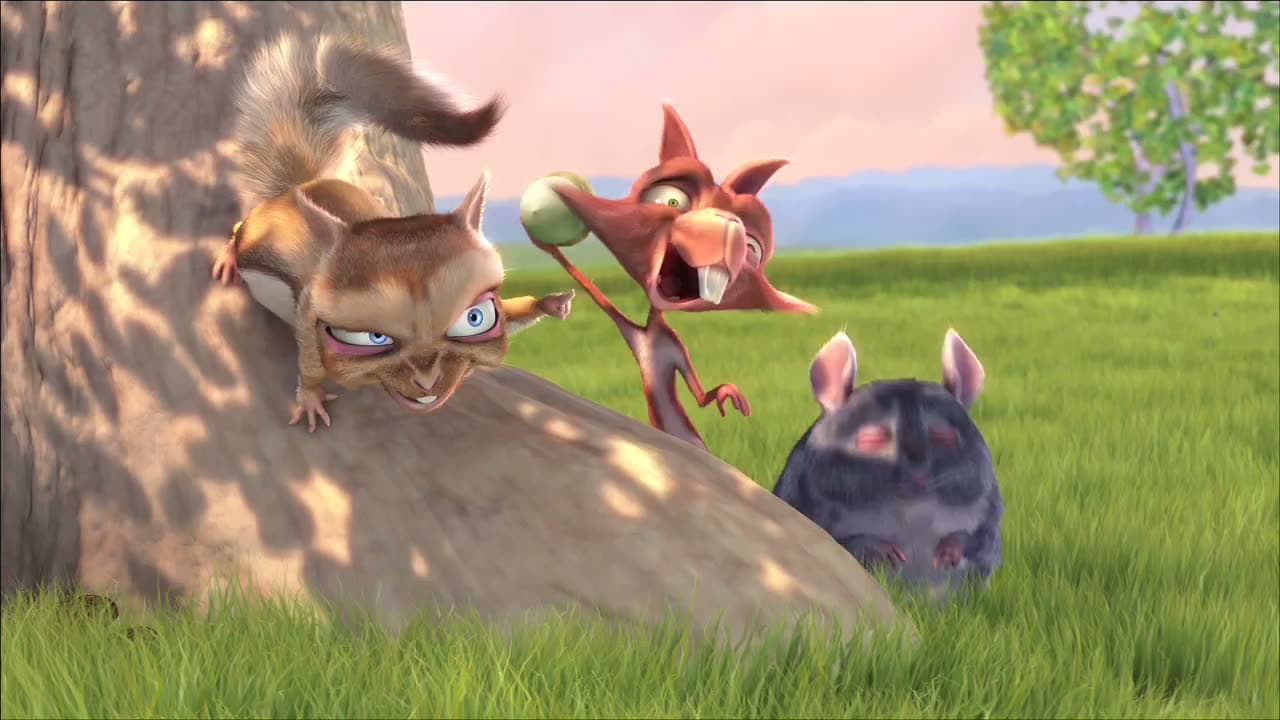
where a drawing of a sound hears it: a media element tapped once, per channel
npx shadcn add @ag/sound-sourceAlready installed? Preview an update
npx shadcn add @ag/sound-source --dry-runYour installed source stays unchanged until you update it. How updates work
Latest changes · 2026-10-08
- New: where a drawing of a sound gets the sound, one door for every player and every drawing.
useSoundTap(element, readable)taps a media element once, after a press, connecting only once its context runs;soundReadable(src, crossOrigin)says whether its spectrum may be read;SoundSourceProvider/useSoundSourcehand the analysers and whether it plays to anything inside;TimebaseSoundSourcesays it plays while the timebase around it plays.lib/sound-scaleis the one analysis scale.AudioPlaybackuses it; your own drawing readsuseSoundSource. - New: a preview is heard by the drawings. While a timeline previews a moment (a word hovered, the bar hovered),
TimebaseSoundSourcehands down that moment's sound instead of the held one: the element's own recording, decoded once on the first preview, a quarter second at the moment looped into analysers that never reach the speakers (usePreviewSound). A halo round a face moves with the moment under the hand.useSoundTapreturns the tap'scontextandelementbeside its analysers, andTimebaseSoundSourcetakes the tap assound.
the demo above, verbatim
"use client"

import * as React from "react"
import { Sample } from "@/app/samples"
import { PlayerBar, PlayerSound } from "@/registry/base-nova/ui/player"
import {
  VideoPicture,
  VideoPlayback,
} from "@/registry/base-nova/ui/video-playback"
import { useSoundSource } from "./sound-source"

// #region meter
/** How many bands each channel is drawn in, low to high. */
const BANDS = 32

/** Your own drawing of the sound: anything inside a player reads it through
 *  `useSoundSource`. Here a stereo spectrum, the left channel rising from the middle
 *  line and the right falling from it, each in 32 bands spaced as hearing is (more
 *  of them low, where the sound is), written straight to the bars' style each
 *  frame, never a render. Before the sound is tapped (a page may start sound only
 *  after a press) it says so instead of drawing silence. */
function Meter() {
  const source = useSoundSource()
  const bars = React.useRef<(HTMLSpanElement | null)[]>([])
  const heard = source?.analysers != null
  React.useEffect(() => {
    const analysers = source?.analysers
    if (!analysers || !source.playing) return
    const bins = analysers.map(
      (a) => new Uint8Array(new ArrayBuffer(a.frequencyBinCount)),
    )
    // Each band's bins, by a power curve: band k covers [n·(k/B)², n·((k+1)/B)²).
    const edges = (n: number) =>
      Array.from({ length: BANDS + 1 }, (_, k) =>
        Math.max(k, Math.round(n * (k / BANDS) ** 2)),
      )
    let frame = 0
    const tick = () => {
      analysers.forEach((a, side) => {
        const b = bins[side] as Uint8Array<ArrayBuffer>
        a.getByteFrequencyData(b)
        const e = edges(b.length)
        for (let k = 0; k < BANDS; k++) {
          const from = e[k] as number
          const to = Math.max(from + 1, e[k + 1] as number)
          let peak = 0
          for (let i = from; i < to; i++) peak = Math.max(peak, b[i] ?? 0)
          const bar = bars.current[side * BANDS + k]
          if (bar) bar.style.transform = `scaleY(${peak / 255})`
        }
      })
      frame = requestAnimationFrame(tick)
    }
    frame = requestAnimationFrame(tick)
    return () => cancelAnimationFrame(frame)
  }, [source])
  return (
    <div className="relative grid h-28 grid-rows-2 gap-px">
      {[0, 1].map((side) => (
        <div
          key={side}
          className={`flex gap-0.5 ${side === 0 ? "items-end" : "items-start"}`}
        >
          {Array.from({ length: BANDS }, (_, k) => (
            <span
              // biome-ignore lint/suspicious/noArrayIndexKey: a fixed run of bands
              key={k}
              ref={(el) => {
                bars.current[side * BANDS + k] = el
              }}
              className={`h-full flex-1 scale-y-[0.02] rounded-full bg-foreground/80 ${side === 0 ? "origin-bottom" : "origin-top opacity-60"}`}
            />
          ))}
        </div>
      ))}
      {!heard && (
        <p className="absolute inset-0 m-0 grid place-items-center font-mono text-muted-foreground text-xs">
          press play to hear it drawn
        </p>
      )}
    </div>
  )
}
// #endregion

export default function Demo() {
  return (
    <Sample name="meter" glance="large" title="your own drawing" with="meter">
      <VideoPlayback
        src="/bunny-stereo.mp4"
        poster="/bunny-poster.jpg"
        label="Big Buck Bunny, stereo"
        loop
        sound
      >
        <div className="mx-auto flex w-full max-w-md flex-col gap-4">
          <VideoPicture aspect="16 / 9" />
          <Meter />
          <PlayerBar label="Big Buck Bunny, stereo">
            <PlayerSound />
          </PlayerBar>
        </div>
      </VideoPlayback>
    </Sample>
  )
}
the source, every file an install writes
"use client"

// Where a drawing of a sound gets the sound: a media element's spectrum, analysed per
// channel and handed down. One door for every player (ui/audio's AudioPlayback, and
// ui/video-playback's VideoPlayback with `sound`) and every drawing (ui/sound-ribbon,
// or your own through `useSoundSource`).
//
// The element is tapped (createMediaElementSource) once and never twice (the API
// throws on a second tap), folded to left and right by Web Audio's speaker rules (mono
// on both sides, 5.1 folded the standard way) and analysed per channel. An
// AudioContext may only start after the person has pressed something, so the tap
// happens at the first play a press asks for, or at the first press after the page has
// had one. Once tapped, the element's sound flows through the context: a context that
// is not running would silence it, so the tap connects only once the context runs. A
// cross-origin source is tapped only with `crossOrigin` set (and the server sending
// CORS headers): without, the browser hands Web Audio silence and the element would go
// quiet, so it plays untapped and has no spectrum. Same-origin works as is.

import * as React from "react"
import { SOUND_SCALE } from "@/registry/base-nova/lib/sound-scale"
import { useTimebaseState } from "@/registry/base-nova/ui/playback"

/** An analyser set the way every drawing here reads it (lib/sound-scale): its window,
 *  its light smoothing, its decibel scale. */
export function soundAnalyser(context: BaseAudioContext): AnalyserNode {
  const node = context.createAnalyser()
  node.fftSize = SOUND_SCALE.fftSize
  node.smoothingTimeConstant = SOUND_SCALE.smoothing
  node.minDecibels = SOUND_SCALE.decibels.min
  node.maxDecibels = SOUND_SCALE.decibels.max
  return node
}

/** The left and right analysers of any node: it is mixed to two channels by Web
 *  Audio's speaker rules (mono copied to both, 5.1 folded the standard way), split, and
 *  each side analysed. Nothing is connected onward: the sound still goes where the
 *  caller sends it. */
export function channelAnalysers(
  context: BaseAudioContext,
  node: AudioNode,
): [AnalyserNode, AnalyserNode] {
  const stereo = context.createGain()
  stereo.channelCount = 2
  stereo.channelCountMode = "explicit"
  stereo.channelInterpretation = "speakers"
  const split = context.createChannelSplitter(2)
  const left = soundAnalyser(context)
  const right = soundAnalyser(context)
  node.connect(stereo)
  stereo.connect(split)
  split.connect(left, 0)
  split.connect(right, 1)
  return [left, right]
}

/** Where a sound's spectrum comes from: one analyser per channel (one, mirrored, or
 *  left and right) once they exist (an AudioContext starts only after a press, so they
 *  may come late), and whether the sound plays. */
export interface SoundSource {
  analysers: readonly AnalyserNode[] | null
  playing: boolean
}

const SoundSourceContext = React.createContext<SoundSource | null>(null)

/** Hands a sound's spectrum to everything inside. */
export function SoundSourceProvider({
  source,
  children,
}: {
  source: SoundSource
  children: React.ReactNode
}) {
  return (
    <SoundSourceContext.Provider value={source}>
      {children}
    </SoundSourceContext.Provider>
  )
}

/** The sound source around this component, or null where there is none. */
export function useSoundSource(): SoundSource | null {
  return React.useContext(SoundSourceContext)
}

/** Whether Web Audio can read this source: asked for with CORS, or a path on this
 *  origin (a relative URL, a blob, data). Decided from the string alone, the same on
 *  the server and in the browser; an absolute URL counts as another origin, so a
 *  same-origin one written in full passes `crossOrigin` too. */
export function soundReadable(
  src: string,
  crossOrigin: string | undefined,
): boolean {
  return crossOrigin !== undefined || !/^(?:[a-z][a-z\d+.-]*:)?\/\//i.test(src)
}

/** A media element's spectrum: the analysers once tapped (null before), and `tap`,
 *  which a player calls inside a play the person asked for (its `beforePlay`). The
 *  first press anywhere taps an element that started playing without one (autoplay, a
 *  playlist going on). The graph dies with the element. */
export function useSoundTap(
  el: HTMLMediaElement | null,
  readable: boolean,
): SoundTap & { tap: () => void } {
  const [tapped, setTapped] = React.useState<{
    analysers: readonly AnalyserNode[]
    context: AudioContext
  } | null>(null)
  const graph = React.useRef<{
    context: globalThis.AudioContext | null
    tapped: boolean
  }>({ context: null, tapped: false })

  const tap = React.useCallback(() => {
    const g = graph.current
    if (!el || g.tapped || !readable) return
    // Before anyone has pressed anything a context cannot start; the first press will.
    if (navigator.userActivation && !navigator.userActivation.hasBeenActive)
      return
    if (!g.context) g.context = new window.AudioContext()
    const context = g.context
    const connect = () => {
      if (g.tapped || context.state !== "running") return
      g.tapped = true
      const tapped = context.createMediaElementSource(el)
      // The sound goes on to the speakers as it came; the analysers only listen.
      tapped.connect(context.destination)
      setTapped({ analysers: channelAnalysers(context, tapped), context })
    }
    if (context.state === "running") connect()
    else context.resume().then(connect, () => {})
  }, [el, readable])

  React.useEffect(() => {
    if (!el) return
    const g = graph.current
    return () => {
      void g.context?.close()
      graph.current = { context: null, tapped: false }
      setTapped(null)
    }
  }, [el])

  React.useEffect(() => {
    if (!el || tapped) return
    const press = () => tap()
    window.addEventListener("pointerdown", press, { capture: true })
    window.addEventListener("keydown", press, { capture: true })
    return () => {
      window.removeEventListener("pointerdown", press, { capture: true })
      window.removeEventListener("keydown", press, { capture: true })
    }
  }, [el, tapped, tap])

  return {
    analysers: tapped?.analysers ?? null,
    context: tapped?.context ?? null,
    element: el,
    tap,
  }
}

/** A tapped element: its analysers and the context they live in (null before the tap),
 *  and the element, whose own recording a preview is heard from. */
export interface SoundTap {
  analysers: readonly AnalyserNode[] | null
  context: AudioContext | null
  element: HTMLMediaElement | null
}

/** How much of the recording a preview loops, s: long enough to be a sound (a
 *  syllable), short enough to be the moment under the hand. */
const PREVIEW_S = 0.25

// A recording decoded once per source and context, however many previews ask.
const decoded = new WeakMap<
  BaseAudioContext,
  Map<string, Promise<AudioBuffer>>
>()
function decodedSound(
  context: BaseAudioContext,
  src: string,
): Promise<AudioBuffer> {
  const mine = decoded.get(context) ?? new Map<string, Promise<AudioBuffer>>()
  decoded.set(context, mine)
  let sound = mine.get(src)
  if (!sound) {
    sound = fetch(src)
      .then((r) => {
        if (!r.ok) throw new Error(`sound-source: ${src} answered ${r.status}`)
        return r.arrayBuffer()
      })
      .then((bytes) => context.decodeAudioData(bytes))
    mine.set(src, sound)
  }
  return sound
}

/** The sound of the moment a preview shows: the element's own recording, decoded once
 *  (on the first preview), a short stretch at `ms` looped into analysers that never
 *  reach the speakers. Null while there is no preview, no tap yet, or the recording is
 *  still decoding. A drawing reading these sees the hovered moment, not the silence
 *  of a held timebase. */
export function usePreviewSound(
  { context, element }: SoundTap,
  ms: number | null,
): readonly AnalyserNode[] | null {
  const src = element?.currentSrc ?? ""
  const [sound, setSound] = React.useState<{
    src: string
    buffer: AudioBuffer
  } | null>(null)
  const bus = React.useMemo(() => {
    if (!context) return null
    const input = context.createGain()
    return { input, analysers: channelAnalysers(context, input) }
  }, [context])
  const buffer = sound?.src === src ? sound.buffer : null
  const asked = ms !== null

  React.useEffect(() => {
    if (!context || !src || !asked || buffer) return
    let live = true
    decodedSound(context, src).then(
      (b) => live && setSound({ src, buffer: b }),
      (error: unknown) => console.warn("sound-source: no preview sound", error),
    )
    return () => {
      live = false
    }
  }, [context, src, asked, buffer])

  React.useEffect(() => {
    if (!context || !bus || !buffer || ms === null) return
    const at = Math.min(
      Math.max(0, ms / 1000),
      Math.max(0, buffer.duration - PREVIEW_S),
    )
    const node = context.createBufferSource()
    node.buffer = buffer
    node.loop = true
    node.loopStart = at
    node.loopEnd = at + PREVIEW_S
    node.connect(bus.input)
    node.start(0, at)
    return () => {
      node.stop()
      node.disconnect()
    }
  }, [context, bus, buffer, ms])

  return bus && buffer && ms !== null ? bus.analysers : null
}

/** The spectrum for everything inside, playing when the timebase around it plays;
 *  while it previews, the previewed moment's sound (`usePreviewSound`). Read here,
 *  under the timebase, so the player itself never re-renders on a play or pause. */
export function TimebaseSoundSource({
  sound,
  children,
}: {
  sound: SoundTap
  children: React.ReactNode
}) {
  const playing = useTimebaseState((s) => s.playing && s.preview === null)
  const preview = useTimebaseState((s) => s.preview)
  const heard = usePreviewSound(sound, preview)
  const { analysers } = sound
  const source = React.useMemo(
    () =>
      heard ? { analysers: heard, playing: true } : { analysers, playing },
    [heard, analysers, playing],
  )
  return <SoundSourceProvider source={source}>{children}</SoundSourceProvider>
}// How a sound is analysed for drawing, one spelling for the analysers that read it
// (ui/sound-source) and the drawings that assume their scale (lib/ribbon-lines).
//
// 2048 samples is a 43 ms window at 48 kHz with bins 23 Hz apart, fine enough for the
// low end of a log scale. Web Audio's own smoothing is kept light (τ ≈ 18 ms at 60
// frames a second): a drawing follows with its own attack and release. The decibel
// scale runs to -10 dBFS because Web Audio's default top, -30, clips a mastered
// track's bass.
export const SOUND_SCALE = {
fftSize: 2048,
smoothing: 0.4,
decibels: { min: -100, max: -10 },
} as const