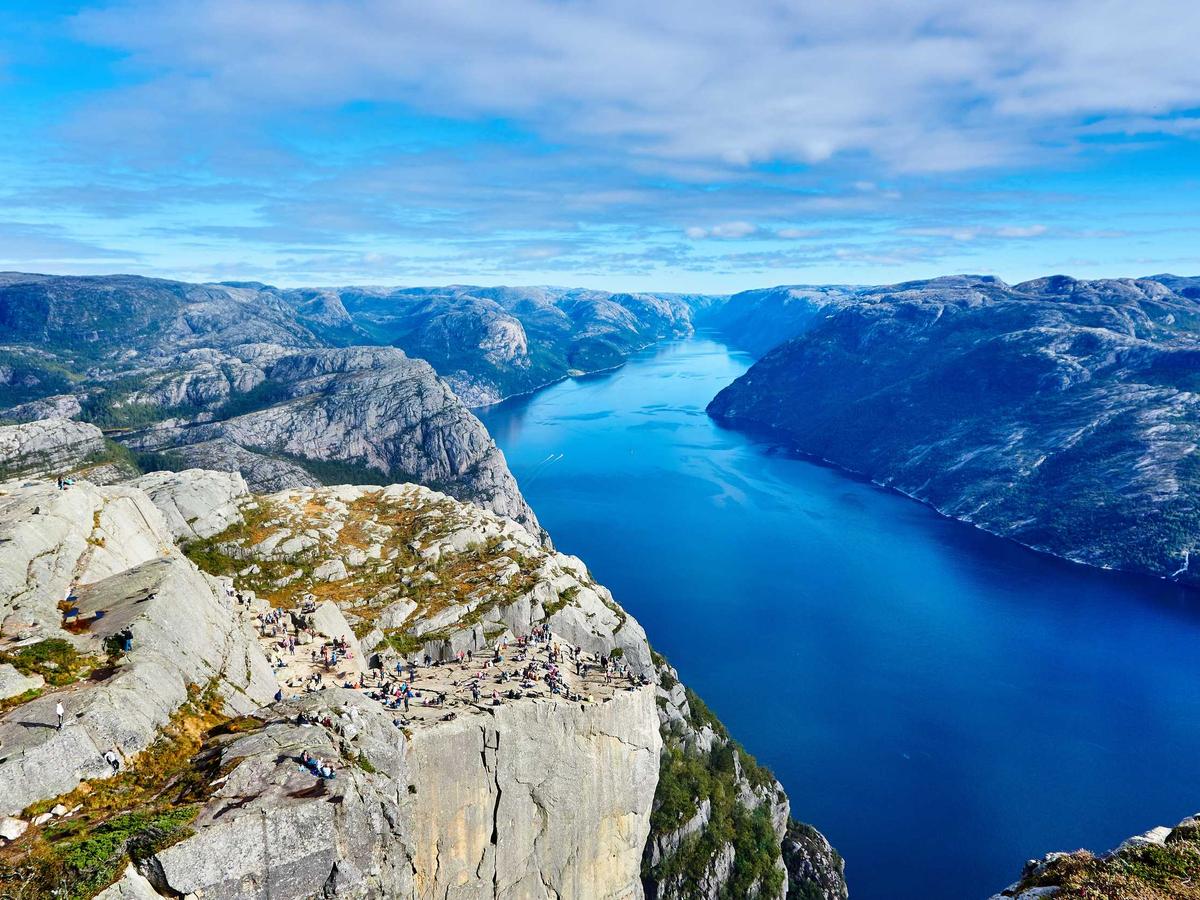
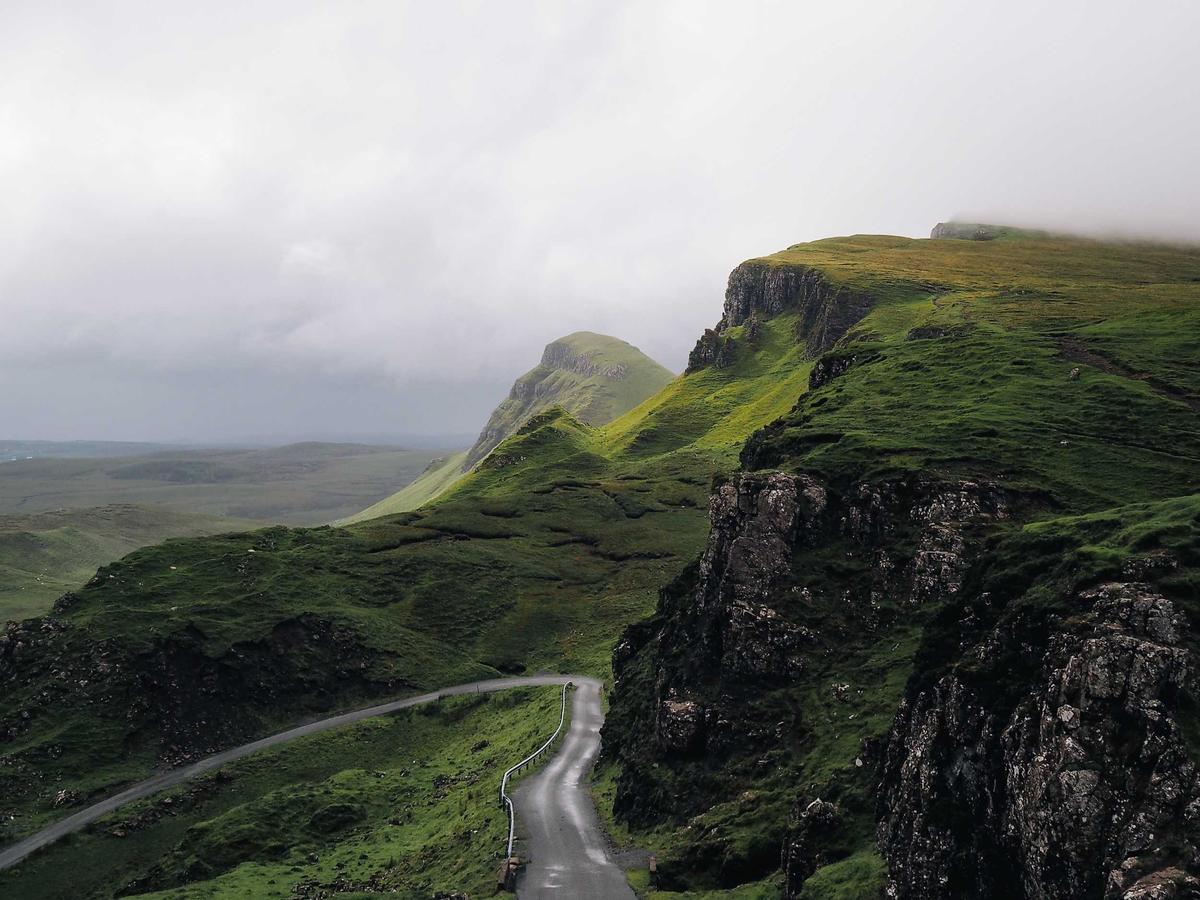
controls that read the picture behind them and take the scheme it calls for
npx shadcn add @ag/backdropAlready installed? Preview an update
npx shadcn add @ag/backdrop --dry-runYour installed source stays unchanged until you update it. How updates work
Latest changes · 2026-10-11
- New: the picture behind a surface decides its scheme.
scheme="backdrop"(on a control, or a provider round many) is answered by the nearest picture that can be read: each control wears the scheme the part of the picture under it asks for, light glass with dark words over a bright sky, dark glass over the ground, and each glass as thick as its words need over what is under it and no thicker (tintFor: dark glass enough to bring the brightest part under it down for white words, light glass enough to bring the darkest up for dark ones; set as--glass-thickness).<Backdrop src>puts a picture behind a section and reads it;useBackdropSource(video or image, { fit })makes any media a source. A scheme named on a control or a provider pins it. Sampled small and only while on screen; a cut holds a second before a visible surface flips, a strobe flips nothing, a hidden surface changes at once.lib/backdrop-coreholds the arithmetic (lightness in CIE L*, an area's reading, the verdict). - New: a source over several pictures,
useBackdropSource([…images]): photographs gliding under the same controls, a surface over two of them read across both (pictures of one source that overlap scream).AdaptiveGlassisGlass(server-safe, told its scheme) as a surface that reads its own, for a piece of glass of your own over a picture. A canvas is a source too (a comparison stage, a chart): its owner calls the source'srefresh()after drawing. - New:
BackdropGroup, controls that read as one (a row of buttons) read the picture as one: the band under the group decides every piece's scheme, so a pill over the sky no longer turns light beside circles over rock that stay dark. Its glass's thickness and rim are the band's too. The player's transport reads as one row. - Fixed:
<AdaptiveGlass fluid>wearsdata-material="glass"anddata-schemelike any glass. - New (experimental):
<AdaptiveGlass fluid>chooses no scheme and reads no source: the glass is the picture under it, frosted, drained of colour and then pushed in contrast by the compositor (backdrop-filter, in that order, so a coloured picture never clips to a burned hue), under a faint white veil that lifts its black to a deep grey, so it is light where the picture is light and dark where it is dark along the picture's own shapes; its words are white blended bydifferenceagainst it, dark on the light parts and light on the dark inside one word. It follows anything under it, a playing video and the page included, on the frame it moves. Its words must be elements (a span, an icon), and nothing between it and the picture may isolate (a transform, opacity, a filter), or the frost sees only what is inside that layer. - Changed: glass keeps its words at one contrast, 7:1 (WCAG's AAA), against the part of the picture least in their favour, white words on the dark face and dark ones on the light (
WORDS, from whichTINT's targets are worked out). The faces had a lightness each, which held white words at about 5:1: dark glass over a white rock let it through as a washed mid-grey. It is charcoal now, and light glass is a touch thinner. - Fixed: a rim's strength is read from what is right under it, the picture seen through the glass's face (
underRim), not the picture alone. Dark glass over a white sky is only as light under its rim as its words allow, and its rim was made stronger for the sky's sake: a hard white line on a dark face. Over the same sky it now carries about 0.8 where it carried 1.1. - Fixed: a picture and the glass over it arrive as one movement. The picture showed on load under glass still wearing the empty page's scheme, which then snapped to the reading a beat later;
<Backdrop>now shows its picture once it has been read, fading in over 300 ms while the glass eases to its reading on the same frames. A source says when it has been read (useBackdropSource(…).read), for an owner drawing its own picture to do the same. - New: a reading carries the area's mean colour (
Reading.color, sRGB, averaged in linear light so a mix of light and dark is the grey the eye sees), and a source sets it on each surface it reads as--glass-ground, the colour its rim picks up. - Changed: a source also looks the frame after any pointer move, so a surface dragged over the picture is read as it goes.
- Changed: a source looks only when something can have changed: a frame of a playing video, the picture loading, a scroll, a resize, a pointer move, a transition or an animation starting or ending (chrome rising on a transform). A still picture under still controls costs nothing, where a look every 500 ms ran for as long as a source was on screen.
--glass-groundis written in OKLCH at the grain the eye tells apart (oklchGrain: steps of 0.02 in lightness and chroma, 10° of hue), so a colour gliding under a glass writes a new value a few times a second instead of on nearly every frame, each write restarting the glass's ease. - New: each surface a source reads gets its rim's sheen from the lightness under it (
sheenOf, from 0.55 over black to 1.1 over white), continuously: less edge light over a dark picture, more over a light one, so the edge reads about the same on both. - Changed: it follows the picture instead of trailing it. A playing video is read about every frame (it was every 150 ms), the surfaces are looked at the frame anything moves (a sample, a scroll anywhere, a resize) instead of every 300 ms, and a visible change holds 180 ms (it was a second) before it turns, still long enough that a strobe turns nothing. The turn eases over 300 ms (the glass's background, words and light), where it cut.
the demo above, verbatim
"use client"

import { Pause, Play, SkipForward } from "lucide-react"
import * as React from "react"
import { Sample } from "@/app/samples"
import { cn } from "@/lib/utils"
import { AdaptiveGlass, Backdrop } from "@/registry/base-nova/ui/backdrop"
import { Badge } from "@/registry/base-nova/ui/badge"
import { Button } from "@/registry/base-nova/ui/button"
import { Gallery } from "@/registry/base-nova/ui/liquid-glass.demo"
import { MaterialProvider } from "@/registry/base-nova/ui/material"
import { Panel } from "@/registry/base-nova/ui/panel"
import {
  VideoPicture,
  VideoPlayback,
} from "@/registry/base-nova/ui/video-playback"

// #region drag
/** A surface the hand moves: dragged by the pointer, or focused and moved by the
 *  arrows (shift for larger steps). A press on a control inside stays the control's. */
function Draggable({
  label,
  className,
  children,
}: {
  label: string
  className?: string
  children: React.ReactNode
}) {
  const [at, setAt] = React.useState({ x: 0, y: 0 })
  const grip = React.useRef<{ x: number; y: number } | null>(null)
  return (
    <div
      role="application"
      aria-roledescription="movable card"
      aria-label={`${label}, arrows move it`}
      // biome-ignore lint/a11y/noNoninteractiveTabindex: an application the arrows move takes focus
      tabIndex={0}
      className={cn(
        "absolute cursor-grab touch-none select-none rounded-3xl active:cursor-grabbing",
        className,
      )}
      // Moved by its margin, never a transform: a transform makes a stacking
      // context, which a fluid glass's blended words then isolate, and its frost
      // would see nothing of the picture outside it.
      style={{ marginLeft: at.x, marginTop: at.y }}
      onPointerDown={(e) => {
        if ((e.target as HTMLElement).closest("button")) return
        e.currentTarget.setPointerCapture(e.pointerId)
        grip.current = { x: e.clientX - at.x, y: e.clientY - at.y }
      }}
      onPointerMove={(e) => {
        const g = grip.current
        if (g) setAt({ x: e.clientX - g.x, y: e.clientY - g.y })
      }}
      onPointerUp={() => {
        grip.current = null
      }}
      onKeyDown={(e) => {
        const step = e.shiftKey ? 48 : 12
        const by: Record<string, [number, number]> = {
          ArrowLeft: [-step, 0],
          ArrowRight: [step, 0],
          ArrowUp: [0, -step],
          ArrowDown: [0, step],
        }
        const d = by[e.key]
        if (!d) return
        e.preventDefault()
        setAt((p) => ({ x: p.x + d[0], y: p.y + d[1] }))
      }}
    >
      {children}
    </div>
  )
}
// #endregion

export default function BackdropDemo() {
  return (
    <div className="space-y-12">
      <Sample
        name="photographs"
        title="photographs gliding past"
        description="three photographs as one source (useBackdropSource over the three images), each piece of glass read by the one under it as they glide; a piece over two of them mid-glide is read across both. The same gallery is liquid-glass's first example, where dark and light are beside adaptive to compare"
      >
        <Gallery />
      </Sample>
      <Sample
        name="moving"
        title="over a moving picture"
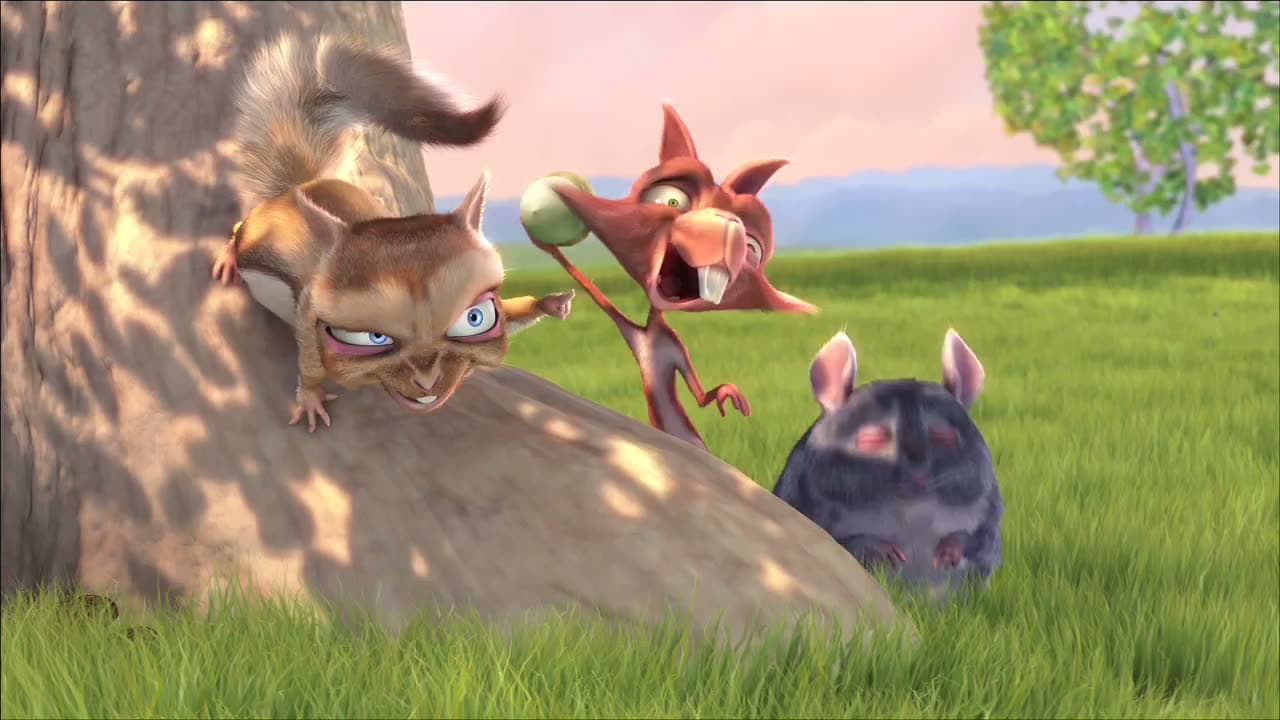
        description="a video is a source by itself: each corner is read by the frame under it as the film plays, a white title card, then grass and sky. A visible control waits a second of the same picture before it flips, so a cut never strobes it"
      >
        <MaterialProvider material="glass">
          <VideoPlayback
            src="/bunny.mp4"
            poster="/bunny-poster.jpg"
            width={1280}
            height={720}
            label="Big Buck Bunny"
            play="visible"
            muted
            loop
          >
            <VideoPicture>
              <div className="absolute inset-x-4 top-4 flex items-center justify-between">
                <Badge>top left</Badge>
                <Badge>top right</Badge>
              </div>
              <div className="absolute inset-x-4 bottom-4 flex items-center justify-between">
                <Button size="sm">bottom left</Button>
                <Button size="sm">bottom right</Button>
              </div>
            </VideoPicture>
          </VideoPlayback>
        </MaterialProvider>
      </Sample>
      <Sample
        name="sky-and-ground"
        title="drag it over the picture"
        description="drag the two cards (or focus one and use the arrows). The panel chooses a scheme by the part of the picture under it: light glass over the sky, dark over the ground, thicker glass across the horizon. The fluid card chooses none: it is the picture under it, frosted and pushed light or dark along the picture's own shapes, its words inverted against it"
        with="drag"
      >
        <MaterialProvider material="glass">
          <Backdrop src="/lightbox/wide.jpg" className="h-[28rem] rounded-xl">
            <div className="flex items-center gap-2 p-4">
              <Button>over the sky</Button>
              <Button variant="secondary" size="icon" aria-label="play">
                <Play />
              </Button>
              <Badge>light</Badge>
            </div>
            <div className="absolute right-4 bottom-4 flex items-center gap-2">
              <Badge>dark</Badge>
              <Button variant="secondary" size="icon" aria-label="pause">
                <Pause />
              </Button>
              <Button>over the ground</Button>
            </div>
            <Draggable label="adaptive card" className="top-16 left-[30%]">
              <Panel className="w-56 gap-2 p-4 text-sm">
                <p className="font-medium">adaptive</p>
                <p className="opacity-75">
                  one scheme, read from the picture under the whole card
                </p>
                <Button
                  className="mt-1 self-start"
                  size="sm"
                  icon={<SkipForward />}
                >
                  next
                </Button>
              </Panel>
            </Draggable>
            <Draggable label="fluid card" className="top-40 left-[58%]">
              <AdaptiveGlass
                fluid
                shape="surface"
                className="flex w-56 flex-col gap-2 p-4 text-sm [--glass-radius:--theme(--radius-3xl)]"
              >
                <p className="font-medium">fluid</p>
                <p className="opacity-80">
                  no scheme: dark words where the glass is light, light where it
                  is dark
                </p>
              </AdaptiveGlass>
            </Draggable>
          </Backdrop>
        </MaterialProvider>
      </Sample>
      <Sample
        name="pinned"
        glance
        title="a scheme named wins"
        description="scheme on a control, or on a provider, pins it whatever is under it"
      >
        <MaterialProvider material="glass">
          <Backdrop src="/lightbox/square.jpg" className="h-52 rounded-xl">
            <div className="flex flex-wrap items-center gap-2 p-4">
              <Button>read</Button>
              <Button scheme="dark">pinned dark</Button>
              <Button scheme="light">pinned light</Button>
            </div>
          </Backdrop>
        </MaterialProvider>
      </Sample>
    </div>
  )
}
the source, every file an install writes
"use client"

// THE PICTURE BEHIND THE SURFACES, READ: what holds pixels (a video, a picture) answers
// `scheme="backdrop"` for every surface over it, each by the part of the picture under
// it (lib/backdrop: a frame sampled into a small grid of lightness, a verdict per
// surface with memory, so a cut is held before a visible surface flips and a strobe
// flips nothing).
//
//   <Backdrop src="/peaks.jpg">            a picture behind a section
//     <Button material="glass">go</Button>   light glass over the sky, dark over rock
//   </Backdrop>
//
// VideoPicture makes its own (a player's chrome adapts with nothing said). A source
// samples only while it is on screen and its document visible: a playing video on its
// own frames (about every one), a picture once it has loaded, a canvas when its owner
// says it redrew (`refresh`). Where the surfaces stand is looked at the frame anything
// moves (a sample, a scroll anywhere, a resize) and when a held change's hold ends;
// the change itself eases (the glass's transition), so it follows the picture rather
// than jumping after it. Reading the pixels needs them readable: same origin, or
// served with CORS and `crossOrigin` set; a picture that is neither screams at its
// first sample.

import * as React from "react"
import { cn } from "@/lib/utils"
import {
  BACKDROP,
  type Cell,
  cellsUnder,
  contentBox,
  type Grid,
  gridOf,
  judge,
  oklchGrain,
  reading,
  sheenOf,
  tintFor,
  underRim,
  type Verdict,
} from "@/registry/base-nova/lib/backdrop-core"
import {
  BackdropScope,
  type BackdropSource,
  MaterialProvider,
  type Scheme,
  useSurfaceScheme,
} from "@/registry/base-nova/ui/material"
import {
  Glass,
  type GlassProps,
  type GlassStyle,
  glassShapes,
  glassStyle,
  glassVariants,
} from "@/registry/base-nova/ui/material-glass"

/** What can be read: a video, a picture, or a canvas something draws into (a
 *  comparison stage, a chart). A canvas says nothing when it redraws, so its owner
 *  calls the source's `refresh` after drawing. */
type Media = HTMLVideoElement | HTMLImageElement | HTMLCanvasElement
export type BackdropFit = "contain" | "cover" | "fill"

/** A playing video's frames, read at most this often (ms): about every frame of a
 *  film, so the glass answers a cut while it is the cut. */
const SAMPLE_MS = 33

interface Watcher {
  element: HTMLElement | null
  onChange: (scheme: "light" | "dark") => void
  verdict: Verdict | null
}

const naturalOf = (m: Media) =>
  m instanceof HTMLVideoElement
    ? { width: m.videoWidth, height: m.videoHeight }
    : m instanceof HTMLCanvasElement
      ? { width: m.width, height: m.height }
      : { width: m.naturalWidth, height: m.naturalHeight }

const ready = (m: Media) =>
  m instanceof HTMLVideoElement
    ? m.readyState >= HTMLMediaElement.HAVE_CURRENT_DATA
    : m instanceof HTMLCanvasElement
      ? m.width > 0 && m.height > 0
      : m.complete && m.naturalWidth > 0

/** A rectangle on the screen, px. */
interface Box {
  left: number
  top: number
  width: number
  height: number
}

/** Where a medium's picture stands on the screen: its element's box, cut to its
 *  content as `object-fit` places it. */
const pictureBox = (m: Media, fit: BackdropFit): Box => {
  const box = m.getBoundingClientRect()
  const c = contentBox(box, naturalOf(m), fit)
  return {
    left: box.left + c.x,
    top: box.top + c.y,
    width: c.width,
    height: c.height,
  }
}

/** Sets a surface's custom property only when its value changed: the source looks
 *  every frame anything moves (a glide, a drag), and each write restyles the glass
 *  and restarts what it eases, though most frames move a value by less than the eye
 *  could see. Values are written at the grain they are seen at (`grain`). */
const write = (element: HTMLElement | null, name: string, value: string) => {
  if (element && element.style.getPropertyValue(name) !== value)
    element.style.setProperty(name, value)
}
/** Two decimals for a multiple (a thickness, a sheen); a colour in perceptual steps
 *  (`oklchGrain`): steps of 4 of 255 in sRGB were far finer than the eye in the
 *  light and changed on nearly every frame of a glide. */
const grain = {
  multiple: (v: number) => v.toFixed(2),
  color: oklchGrain,
}

/** The box round every picture: what a surface with no element of its own stands
 *  over. */
const union = (pictures: { box: Box }[]): Box => {
  const left = Math.min(...pictures.map((p) => p.box.left))
  const top = Math.min(...pictures.map((p) => p.box.top))
  const right = Math.max(...pictures.map((p) => p.box.left + p.box.width))
  const bottom = Math.max(...pictures.map((p) => p.box.top + p.box.height))
  return { left, top, width: right - left, height: bottom - top }
}

/** The same media, in the same order: a list handed in anew each render is not a
 *  change. */
const sameMedia = (a: readonly Media[], b: readonly Media[]) =>
  a.length === b.length && a.every((m, i) => m === b[i])

/** The source over `media` (one picture or video, or several: photographs gliding
 *  under the same controls): hand it to <BackdropScope>. `fit` is how each fills its
 *  element (`object-fit`); `outside` the lightness of what shows where none does
 *  (L*, 0: a black stage). A surface over two of them is read across both.
 *  `read` is whether the pictures have been read yet: until then the glass over
 *  them wears its unread scheme, so a picture its owner draws should show only from
 *  then, fading in while the glass eases to it (<Backdrop> does), never be seen
 *  first with the glass catching up a beat later. */
export function useBackdropSource(
  media: Media | readonly Media[] | null,
  { fit, outside = 0 }: { fit: BackdropFit; outside?: number },
): BackdropSource & { refresh(): void; read: boolean } {
  const [read, setRead] = React.useState(false)
  const [state] = React.useState(() => ({
    fit,
    outside,
    grids: new Map<Media, Grid>(),
    watchers: new Set<Watcher>(),
    canvas: null as CanvasRenderingContext2D | null,
    /** The look asked for on the next frame, and the one a hold's end waits for. */
    asked: 0,
    held: 0,
  }))
  state.fit = fit
  state.outside = outside
  const given: readonly Media[] =
    media === null ? [] : "length" in media ? media : [media]
  const kept = React.useRef<readonly Media[]>(given)
  if (!sameMedia(kept.current, given)) kept.current = given
  const list = kept.current

  const look = React.useCallback(() => {
    window.clearTimeout(state.held)
    if (state.grids.size === 0) return
    const pictures = [...state.grids].map(([m, grid]) => ({
      grid,
      box: pictureBox(m, state.fit),
    }))
    // A box on the screen read across every picture under it.
    const readBox = (r: Box) => {
      const cells: Cell[] = []
      for (const { grid, box } of pictures) {
        if (box.width === 0 || box.height === 0) continue
        const area = {
          x: (r.left - box.left) / box.width,
          y: (r.top - box.top) / box.height,
          w: r.width / box.width,
          h: r.height / box.height,
        }
        const px = box.width * box.height
        for (const c of cellsUnder(grid, area))
          cells.push({ ...c, weight: c.weight * px })
      }
      return reading(cells, r.width * r.height, state.outside)
    }
    const now = performance.now()
    let wake = Number.POSITIVE_INFINITY
    for (const w of state.watchers) {
      // Unset, the surface is the whole of what is shown: the pictures' union.
      const r: Box = w.element?.getBoundingClientRect() ?? union(pictures)
      if (r.width === 0 || r.height === 0) continue
      const read = readBox(r)
      const visible =
        !w.element ||
        w.element.checkVisibility({
          opacityProperty: true,
          visibilityProperty: true,
        })
      const next = judge(w.verdict, read, now, visible)
      const thickness = tintFor(next.worn, read)
      // The rim reads against what is right under it, the picture seen through the
      // glass's face: less light over dark, more over light (inherited by what is
      // inside a group). Continuous; it eases.
      write(
        w.element,
        "--glass-ground-sheen",
        grain.multiple(sheenOf(underRim(next.worn, read, thickness))),
      )
      // And picks up the picture's colour under it (`glassLight` leans the rim's
      // light toward it).
      write(w.element, "--glass-ground", grain.color(read.color))
      // As thick as its words need over what is under it, no thicker (eased by the
      // glass's own transition): the face's tint at this opacity.
      write(w.element, "--glass-thickness", grain.multiple(thickness))
      if (!w.verdict || next.worn !== w.verdict.worn) w.onChange(next.worn)
      w.verdict = next
      if (next.pending)
        wake = Math.min(wake, next.since + BACKDROP.holdMs - now)
    }
    // A change waiting out its hold is looked at again the moment the hold ends, a
    // still picture sending nothing else.
    if (wake < Number.POSITIVE_INFINITY)
      state.held = window.setTimeout(look, Math.max(0, wake) + 1)
  }, [state])

  // Asked for by whatever moved (a frame, a scroll, a redraw), at most once a frame.
  const soon = React.useCallback(() => {
    if (state.asked) return
    state.asked = requestAnimationFrame(() => {
      state.asked = 0
      look()
    })
  }, [state, look])

  const sample = React.useCallback(
    (m: Media) => {
      if (!ready(m)) return
      if (!state.canvas) {
        const canvas = document.createElement("canvas")
        canvas.width = BACKDROP.cols
        canvas.height = BACKDROP.rows
        // The frame is scaled down where it lives (the GPU) and only the grid's few
        // hundred pixels come back: read every frame, it costs a fraction of a ms.
        state.canvas = canvas.getContext("2d")
        if (!state.canvas)
          throw new Error("backdrop: no 2d canvas to sample into")
      }
      const ctx = state.canvas
      ctx.drawImage(m, 0, 0, BACKDROP.cols, BACKDROP.rows)
      let pixels: ImageData
      try {
        pixels = ctx.getImageData(0, 0, BACKDROP.cols, BACKDROP.rows)
      } catch (e) {
        throw new Error(
          `backdrop: the pixels of ${m instanceof HTMLCanvasElement ? "a canvas holding another origin's picture" : m.currentSrc || "the picture"} cannot be read (another origin without CORS: serve it with Access-Control-Allow-Origin and set crossOrigin, or name a scheme)`,
          { cause: e },
        )
      }
      state.grids.set(m, gridOf(pixels.data, BACKDROP.cols, BACKDROP.rows))
      // Read now: told in the same pass as the surfaces' first verdicts (looked at
      // right here, not a frame later), so a picture shown from `read` and the
      // glass easing to its reading start on one frame.
      setRead(true)
      look()
    },
    [state, look],
  )

  React.useEffect(() => {
    state.grids.clear()
    if (list.length === 0) return
    const onScreen = new Set<Media>()
    const lastSample = new Map<Media, number>()
    const frames = new Map<HTMLVideoElement, number>()
    const awake = () =>
      onScreen.size > 0 && document.visibilityState === "visible"
    // A playing video is read on its own frames, at most every SAMPLE_MS.
    const onFrame = (v: HTMLVideoElement) => () => {
      const now = performance.now()
      if (awake() && now - (lastSample.get(v) ?? 0) >= SAMPLE_MS) {
        lastSample.set(v, now)
        sample(v)
      }
      if (!v.paused) frames.set(v, v.requestVideoFrameCallback(onFrame(v)))
    }
    // Looked at only when something can have changed: a scroll anywhere
    // (photographs gliding under the controls, the page moving them), a hand moving a
    // surface, a resize, and a transition or an animation starting or ending (chrome
    // rising on a transform says so by no other event). A still picture under still
    // controls costs nothing.
    const onMove = () => {
      if (awake()) soon()
    }
    const MOVES = [
      "scroll",
      "transitionstart",
      "transitionend",
      "animationstart",
      "animationend",
    ] as const
    const start = () => {
      if (!awake()) return
      for (const m of list) {
        if (m instanceof HTMLVideoElement && !m.paused) {
          m.cancelVideoFrameCallback(frames.get(m) ?? 0)
          frames.set(m, m.requestVideoFrameCallback(onFrame(m)))
        }
        sample(m)
      }
    }
    const seen = new IntersectionObserver((entries) => {
      for (const e of entries)
        e.isIntersecting
          ? onScreen.add(e.target as Media)
          : onScreen.delete(e.target as Media)
      start()
    })
    const events = (m: Media) =>
      m instanceof HTMLVideoElement
        ? ["loadeddata", "seeked", "play", "pause"]
        : m instanceof HTMLCanvasElement
          ? []
          : ["load"]
    for (const m of list) {
      seen.observe(m)
      for (const e of events(m)) m.addEventListener(e, start)
    }
    document.addEventListener("visibilitychange", start)
    for (const e of MOVES)
      document.addEventListener(e, onMove, { capture: true, passive: true })
    // A hand moving a surface (a panel dragged over the picture, chrome rising under
    // the pointer) is looked at the frame it moves.
    document.addEventListener("pointermove", onMove, { passive: true })
    window.addEventListener("resize", soon)
    return () => {
      seen.disconnect()
      for (const m of list) {
        for (const e of events(m)) m.removeEventListener(e, start)
        if (m instanceof HTMLVideoElement)
          m.cancelVideoFrameCallback(frames.get(m) ?? 0)
      }
      document.removeEventListener("visibilitychange", start)
      for (const e of MOVES)
        document.removeEventListener(e, onMove, { capture: true })
      document.removeEventListener("pointermove", onMove)
      window.removeEventListener("resize", soon)
      window.clearTimeout(state.held)
      cancelAnimationFrame(state.asked)
      state.asked = 0
    }
  }, [list, state, sample, soon])

  return React.useMemo(
    () => ({
      watch(element, onChange) {
        const w: Watcher = { element, onChange, verdict: null }
        state.watchers.add(w)
        look()
        return () => {
          state.watchers.delete(w)
          element?.style.removeProperty("--glass-thickness")
          element?.style.removeProperty("--glass-ground-sheen")
          element?.style.removeProperty("--glass-ground")
        }
      },
      // A canvas's owner says it redrew: it is read again, and its surfaces looked at.
      refresh() {
        for (const m of kept.current)
          if (m instanceof HTMLCanvasElement) sample(m)
      },
      read,
    }),
    [state, look, sample, read],
  )
}

/** A FLUID glass, which chooses no scheme: the glass is the picture under it, read
 *  by the compositor pixel by pixel (`backdrop-filter`), blurred into frost, its
 *  colour mostly drained and its contrast pushed, so it is light where the picture
 *  is light and dark where it is dark, following the picture's own shapes (a sky,
 *  a river, a face) rather than any band of them; the words are white blended by
 *  `difference` against it, dark on the light parts and light on the dark, inside
 *  one word. Nothing is sampled: it follows anything, a playing video and the page
 *  itself included, on the frame it moves.
 *
 *  The frost is a LAYER of its own and the words its siblings, never its children:
 *  a backdrop-filter makes its element an isolated group, and words inside it
 *  blended against the glass's own (transparent) background, not the frosted
 *  picture, so they stayed white on white glass. Beside it, they blend against
 *  what is painted under them: the picture and the frost. So the host draws no
 *  glass and makes no stacking context. Its words must be elements (a span, an
 *  icon): a blend applies to an element, not to bare text. And nothing between it
 *  and the picture may isolate (a transform, opacity, a filter): the blending words
 *  make the nearest such ancestor a layer of its own, and the frost then sees only
 *  what is inside that layer, not the picture (a card dragged by `translate` lost
 *  its frost; by its margin it keeps it). The host is glass's shape alone
 *  (`glassShapes`); its light (`rim`, `tint`) is set on it and the frost inherits it. */
const FLUID_HOST =
  "relative rounded-(--glass-radius) text-white [&>*:not([data-slot=glass-frost])]:relative [&>*:not([data-slot=glass-frost])]:mix-blend-difference"
// Over the frost, a veil of white: the contrast leaves the dark parts black and heavy
// ("too dark and too much contrast", Adrian, 2026-10-11), and a filter cannot lift
// black (brightness multiplies it); a veil adds light to every pixel, black becoming
// a deep grey and white staying white, so the words keep their contrast.
const FLUID_FROST = cn(
  glassVariants({ shape: "surface" }),
  // The host's glass, drawn on a layer of its own: its rim is the host's.
  "pointer-events-none absolute inset-0 [--glass-radius:inherit] [--glass-rim:inherit] [--glass-tint:rgb(255_255_255/0.14)]",
)
/** The frost, in the order it needs: blurred, then its colour drained, THEN its
 *  contrast pushed, so contrast acts on lightness alone. Tailwind's composed filter
 *  pushes contrast before saturation, and a blue sky's channels clipped to cyan (the
 *  words, white minus cyan, turned red): "burned" (Adrian, 2026-10-11). Neutral, the
 *  words blended against it are neutral too, black on the light glass, white on the
 *  dark. It is the frost's `--glass-backdrop`, the glass's one backdrop channel (a
 *  whole filter in its order), set on its style so it holds on either face. */
// Contrast high enough that the frost is nearly black or nearly white, the mid grey
// (where the words, inverted against it, turned the same grey and read as disabled)
// left to the soft edge between them; drained first, it never burns.
const FLUID_FILTER = "blur(16px) grayscale(1) contrast(3.4)"
const FROST_STYLE: GlassStyle = { "--glass-backdrop": FLUID_FILTER }

/** `Glass` (server-safe, told its scheme) as a surface that reads its own: the
 *  scheme it is given or its provider's, `backdrop` answered by the picture under
 *  this element. For a piece of glass of your own over a picture (a header pill, an
 *  avatar's ring); every base control already does this itself.
 *
 *  `fluid` (EXPERIMENTAL) chooses no scheme at all and needs no source: see FLUID. */
export function AdaptiveGlass<T extends React.ElementType = "div">({
  scheme,
  fluid = false,
  ref,
  className,
  ...props
}: Omit<GlassProps<T>, "scheme"> & { scheme?: Scheme; fluid?: boolean }) {
  const [s, here] = useSurfaceScheme<HTMLElement>(
    fluid ? "auto" : scheme,
    ref as React.Ref<HTMLElement> | undefined,
  )
  if (!fluid)
    return (
      <Glass
        {...(props as GlassProps<T>)}
        ref={here}
        scheme={s}
        className={className}
      />
    )
  const {
    as,
    shape = "card",
    rim,
    rimWidth,
    rimColor,
    tint,
    tintAmount,
    style,
    children,
    ...rest
  } = props as Omit<GlassProps<"div">, "as" | "scheme"> & {
    as?: React.ElementType
  }
  return React.createElement(
    as ?? "div",
    {
      ...(as === "button" ? { type: "button" } : {}),
      ...rest,
      ref: here,
      "data-slot": "glass",
      "data-material": "glass",
      "data-shape": shape,
      "data-scheme": s,
      "data-fluid": true,
      style: {
        ...glassStyle({ rim, rimWidth, rimColor, tint, tintAmount }),
        ...style,
      },
      className: cn(glassShapes[shape], FLUID_HOST, className),
    },
    <span
      aria-hidden
      data-slot="glass-frost"
      className={FLUID_FROST}
      style={FROST_STYLE}
    />,
    children,
  )
}

/** Controls that read as ONE (a row of a gallery's buttons, a player's transport)
 *  read the picture as one: the band under the group decides one scheme for every
 *  piece in it. Read one by one, a pill over the sky turned light beside circles over
 *  rock that stayed dark, and the row looked broken. Its glass's thickness and rim
 *  are the band's too (set on the group, inherited by every glass in it). */
export function BackdropGroup({
  scheme,
  ref,
  children,
  ...props
}: React.ComponentProps<"div"> & { scheme?: Scheme }) {
  const [s, here] = useSurfaceScheme<HTMLDivElement>(scheme, ref)
  return (
    <div ref={here} data-slot="backdrop-group" {...props}>
      <MaterialProvider scheme={s}>{children}</MaterialProvider>
    </div>
  )
}

/** A picture behind a section, read: every control inside wears the scheme the
 *  picture under it asks for (`scheme="backdrop"`), glass over the sky light, over
 *  the rock dark. The picture fills the box (`fit`, `cover` by default); it is
 *  decoration, hidden from assistive technology. It shows once it has been read,
 *  fading in over the glass's own 300 ms while the glass eases to its reading, one
 *  movement: shown on load, it stood a beat under glass still wearing the scheme of
 *  the empty page, which then snapped ("abrupt and too lagged", Adrian,
 *  2026-10-11). */
export function Backdrop({
  src,
  fit = "cover",
  crossOrigin,
  className,
  children,
}: {
  src: string
  fit?: BackdropFit
  /** For a picture on another origin, served with CORS. */
  crossOrigin?: "anonymous" | "use-credentials"
  className?: string
  children?: React.ReactNode
}) {
  const [picture, setPicture] = React.useState<HTMLImageElement | null>(null)
  const source = useBackdropSource(picture, { fit })
  return (
    <div
      data-slot="backdrop"
      className={cn("relative isolate overflow-hidden", className)}
    >
      {/* biome-ignore lint/performance/noImgElement: the picture is read pixel by pixel, a plain element any React app has */}
      <img
        ref={setPicture}
        src={src}
        alt=""
        aria-hidden
        crossOrigin={crossOrigin}
        decoding="async"
        className={cn(
          "-z-10 pointer-events-none absolute inset-0 size-full transition-opacity duration-300 ease-out motion-reduce:transition-none",
          source.read ? "opacity-100" : "opacity-0",
          fit === "cover"
            ? "object-cover"
            : fit === "contain"
              ? "object-contain"
              : "object-fill",
        )}
      />
      <BackdropScope source={source}>
        <MaterialProvider scheme="backdrop">{children}</MaterialProvider>
      </BackdropScope>
    </div>
  )
}// WHAT THE PIXELS BEHIND A SURFACE ASK FOR: light ink or dark, read off the picture it
// stands over. Framework-free arithmetic; the side holding the pixels (ui/backdrop:
// a video, a picture) samples a frame into a small grid and asks here, per surface.
//
// The unit is the one contrast is felt in: CIE lightness L* (0 black, 100 white,
// 50 a perceptual mid-grey), never a raw channel average, which calls a saturated
// blue sky dark. A surface's area of the frame gives its mean lightness and the band
// most of it lies in (the 10th to the 90th percentile of the cells under it): a light
// frame wants the light scheme (light glass, dark words), a dark one the dark scheme.
// And the glass is as thick as its words need and no thicker (`tintFor`): dark glass
// enough to darken the BRIGHTEST part under it for white words, light glass enough to
// lighten the darkest for dark ones. A fixed thickening for any surface over light
// and dark at once overshot (82% black over a rock its 50% already darkened enough).
// The area's mean colour, averaged in linear light, is what the glass's edge picks
// up from what it stands over (light catching a curve takes the colour around it).
//
// A verdict has memory. Between `darkBelow` and `lightAbove` the scheme it has is
// kept (a mid-grey frame never flickers), and a change it can be SEEN making waits
// for the frame to hold it `holdMs`: a cut, a flash, a pan across a window. A surface
// no one can see (chrome hidden while a video plays) changes at once, so it shows
// up already right.
export type Worn = "light" | "dark"
/** A frame as lightness and colour, one value per cell, rows top to bottom. */
export interface Grid {
cols: number
rows: number
/** L* per cell, 0..100. */
l: Float32Array
/** Linear-light RGB per cell, 0..1, three values each: colours are averaged in
* light, as the eye mixes them, never in sRGB's encoded numbers (which darken a
* mix). */
rgb: Float32Array
}
/** A colour, sRGB 0..255. */
export type Rgb = readonly [number, number, number]
/** A part of the frame, in shares of its width and height (0..1, may run past). */
export interface Area {
x: number
y: number
w: number
h: number
}
/** What an area of the frame is like: its mean lightness, the band most of it lies
* in, and its mean colour (what an edge of glass over it picks up). */
export interface Reading {
mean: number
low: number
high: number
color: Rgb
}
export const BACKDROP = {
/** The grid a frame is sampled into: enough for a control's area to span cells,
* little enough to read every frame. */
cols: 32,
rows: 18,
/** Over this the light scheme; under `darkBelow` the dark one; between, kept. */
lightAbove: 62,
darkBelow: 48,
/** How long a frame must hold a new scheme before a visible surface takes it:
* longer than a flash or a strobe's half period (each turn back resets it), short
* enough that a cut is answered while it is still the cut. The change itself then
* eases (the glass's own transition), so the hold is the only lag. A second felt
* "very slow and too lagged" (Adrian, 2026-10-11). */
holdMs: 180,
} as const
/** One sRGB channel, 0..255, to linear light, 0..1. */
const linear = (c: number) => {
const v = c / 255
return v <= 0.04045 ? v / 12.92 : ((v + 0.055) / 1.055) ** 2.4
}
/** Linear light, 0..1, to an sRGB channel, 0..255. */
const encoded = (v: number) =>
255 * (v <= 0.0031308 ? 12.92 * v : 1.055 * v ** (1 / 2.4) - 0.055)
/** Luminance (linear) to CIE L*. */
const lOf = (y: number) =>
y > 216 / 24389 ? 116 * Math.cbrt(y) - 16 : (24389 / 27) * y
/** CIE L* to luminance (linear): the grey of that lightness. */
const yOf = (l: number) => (l > 8 ? ((l + 16) / 116) ** 3 : l / (24389 / 27))
/** sRGB 0..255 to CIE L*. */
export function lightness(r: number, g: number, b: number): number {
return lOf(0.2126 * linear(r) + 0.7152 * linear(g) + 0.0722 * linear(b))
}
/** sRGB 0..255 to OKLCH: lightness 0..1, chroma, hue in degrees (0 for a grey). */
export function oklchOf([r, g, b]: Rgb): { l: number; c: number; h: number } {
const [lr, lg, lb] = [linear(r), linear(g), linear(b)]
const l_ = Math.cbrt(
0.4122214708 * lr + 0.5363325363 * lg + 0.0514459929 * lb,
)
const m_ = Math.cbrt(
0.2119034982 * lr + 0.6806995451 * lg + 0.1073969566 * lb,
)
const s_ = Math.cbrt(
0.0883024619 * lr + 0.2817188376 * lg + 0.6299787005 * lb,
)
const l = 0.2104542553 * l_ + 0.793617785 * m_ - 0.0040720468 * s_
const a = 1.9779984951 * l_ - 2.428592205 * m_ + 0.4505937099 * s_
const bb = 0.0259040371 * l_ + 0.7827717662 * m_ - 0.808675766 * s_
const c = Math.hypot(a, bb)
const h = c === 0 ? 0 : ((Math.atan2(bb, a) * 180) / Math.PI + 360) % 360
return { l, c, h }
}
/** A colour at the grain the eye tells apart, as CSS: OKLCH in steps of one
* just-noticeable difference (about 0.02 in OKLab) in lightness and chroma, and of
* 10° in hue (at the most vivid ground a picture gives, about 0.2 chroma, a
* difference of 0.035, which the rim's light, 35% the ground's, carries as less
* than one). A colour gliding under a glass then changes the written value a few
* times a second, not on every frame. */
export const OKLCH_GRAIN = { l: 0.02, c: 0.02, h: 10 } as const
export function oklchGrain(rgb: Rgb): string {
const { l, c, h } = oklchOf(rgb)
const step = (v: number, s: number) => Math.round(v / s) * s
const sc = step(c, OKLCH_GRAIN.c)
return `oklch(${step(l, OKLCH_GRAIN.l).toFixed(2)} ${sc.toFixed(2)} ${sc === 0 ? 0 : step(h, OKLCH_GRAIN.h) % 360})`
}
/** A frame's pixels (RGBA, `cols` × `rows`, as a canvas hands them) as a grid. */
export function gridOf(
rgba: ArrayLike<number>,
cols: number,
rows: number,
): Grid {
if (rgba.length !== cols * rows * 4)
throw new Error(
`backdrop: ${rgba.length} values for a ${cols}×${rows} frame, expected ${cols * rows * 4}`,
)
const l = new Float32Array(cols * rows)
const rgb = new Float32Array(cols * rows * 3)
for (let i = 0; i < l.length; i++) {
const r = linear(rgba[i * 4] as number)
const g = linear(rgba[i * 4 + 1] as number)
const b = linear(rgba[i * 4 + 2] as number)
rgb.set([r, g, b], i * 3)
l[i] = lOf(0.2126 * r + 0.7152 * g + 0.0722 * b)
}
return { cols, rows, l, rgb }
}
/** A cell's lightness and colour (linear RGB) and how much of an area it covers (in
* any one unit per reading). */
export interface Cell {
l: number
rgb: readonly [number, number, number]
weight: number
}
/** The cells of a frame an area covers, each weighted by how much of it the area
* covers, in shares of the frame; the part of the area off the frame is not here. */
export function cellsUnder(grid: Grid, area: Area): Cell[] {
const cells: Cell[] = []
const x0 = Math.max(0, area.x)
const x1 = Math.min(1, area.x + area.w)
const y0 = Math.max(0, area.y)
const y1 = Math.min(1, area.y + area.h)
if (!(x1 > x0 && y1 > y0)) return cells
const c0 = Math.floor(x0 * grid.cols)
const c1 = Math.min(grid.cols - 1, Math.ceil(x1 * grid.cols) - 1)
const r0 = Math.floor(y0 * grid.rows)
const r1 = Math.min(grid.rows - 1, Math.ceil(y1 * grid.rows) - 1)
for (let r = r0; r <= r1; r++)
for (let c = c0; c <= c1; c++) {
const ox = Math.min(x1, (c + 1) / grid.cols) - Math.max(x0, c / grid.cols)
const oy = Math.min(y1, (r + 1) / grid.rows) - Math.max(y0, r / grid.rows)
const weight = ox * oy
const i = r * grid.cols + c
if (weight > 0)
cells.push({
l: grid.l[i] as number,
rgb: [
grid.rgb[i * 3] as number,
grid.rgb[i * 3 + 1] as number,
grid.rgb[i * 3 + 2] as number,
],
weight,
})
}
return cells
}
/** What a set of weighted cells is like, `total` being the whole area's weight: the
* part no cell covers is read as `outside`, a grey of that lightness (the stage
* round a letterboxed picture, black, is 0). Cells may come from several pictures:
* an area over two photographs gliding past is read across both. */
export function reading(
cells: Cell[],
total: number,
outside: number,
): Reading {
if (!(total > 0)) throw new Error(`backdrop: an area with no size (${total})`)
const covered = cells.reduce((s, c) => s + c.weight, 0)
if (covered > total * (1 + 1e-6))
throw new Error(
`backdrop: cells cover ${covered} of an area of ${total}: two pictures of one source overlap, and only one of them shows`,
)
const grey = yOf(outside)
const all =
total - covered > total * 1e-9
? [
...cells,
{
l: outside,
rgb: [grey, grey, grey] as const,
weight: total - covered,
},
]
: [...cells]
const mean = all.reduce((s, c) => s + c.l * c.weight, 0) / total
const channel = (k: 0 | 1 | 2) =>
Math.round(
encoded(all.reduce((s, c) => s + c.rgb[k] * c.weight, 0) / total),
)
const color: Rgb = [channel(0), channel(1), channel(2)]
all.sort((a, b) => a.l - b.l)
const at = (q: number) => {
let acc = 0
for (const c of all) {
acc += c.weight
if (acc >= q * total) return c.l
}
return (all.at(-1) as Cell).l
}
return { mean, low: at(0.1), high: at(0.9), color }
}
/** One frame's area read, off-frame as `outside`. */
export function readArea(grid: Grid, area: Area, outside: number): Reading {
if (!(area.w > 0 && area.h > 0))
throw new Error(`backdrop: an area with no size (${area.w}×${area.h})`)
return reading(cellsUnder(grid, area), area.w * area.h, outside)
}
/** A surface's standing: the scheme it wears, and a change waiting to be held long
* enough. */
export interface Verdict {
worn: Worn
pending: Worn | null
since: number
}
/** The next verdict, from the last (none: the first reading decides at once), a
* reading, the time, and whether the surface can be seen. */
export function judge(
prev: Verdict | null,
read: Reading,
now: number,
visible: boolean,
): Verdict {
const want: Worn =
read.mean > BACKDROP.lightAbove
? "light"
: read.mean < BACKDROP.darkBelow
? "dark"
: (prev?.worn ?? (read.mean >= 55 ? "light" : "dark"))
if (!prev || !visible || want === prev.worn)
return { worn: want, pending: null, since: now }
if (prev.pending !== want) return { ...prev, pending: want, since: now }
if (now - prev.since >= BACKDROP.holdMs)
return { worn: want, pending: null, since: now }
return prev
}
/** The contrast every glass keeps its words at against the part of the picture
* least in their favour, as WCAG measures it: 7:1, its AAA. One number for both
* faces, white words on dark glass and dark ones (zinc-950) on light, in the unit
* the words are read in. Each face's target lightness was its own number once (L*
* 46 under white words, 5:1; 66 under dark ones, 7:1), and the dark face's let a
* white rock through as a washed mid-grey ("why is it gray", Adrian, 2026-10-11). */
export const WORDS = {
contrast: 7,
light: [255, 255, 255],
dark: [9, 9, 11],
} as const
const luminance = ([r, g, b]: readonly [number, number, number]) =>
0.2126 * linear(r) + 0.7152 * linear(g) + 0.0722 * linear(b)
/** The lightest a ground may be under white words, and the darkest under dark
* ones, at `WORDS.contrast`. */
const UNDER_WHITE = lOf((luminance(WORDS.light) + 0.05) / WORDS.contrast - 0.05)
const OVER_INK = lOf(WORDS.contrast * (luminance(WORDS.dark) + 0.05) - 0.05)
/** How thick a glass must be for its words, and no thicker: the opacity of its
* tint over a picture read as `read`. Dark glass (white words) darkens what is under
* it toward black; enough that its BRIGHTEST part (`high`) comes down to `under`.
* Light glass (dark words) lightens toward its own pale tint; enough that its
* DARKEST part (`low`) comes up to `over`. Both from `WORDS`. Each held between a
* floor (the glass always has a body) and a ceiling (it stays glass). Lightness
* mixes about linearly in L* at these opacities, so the tint is the share of the
* way to go. */
export const TINT = {
dark: { under: UNDER_WHITE, min: 0.42, max: 0.78, ground: 4 },
light: { over: OVER_INK, min: 0.5, max: 0.86, ground: 96 },
} as const
export function tintFor(worn: Worn, read: Reading): number {
const clamp = (a: number, lo: number, hi: number) =>
Math.min(hi, Math.max(lo, a))
// A picture already as dark (or light) as the words need takes the floor: past
// the tint's own lightness the share would divide by a sign that flipped.
if (worn === "dark") {
const { under, min, max, ground } = TINT.dark
if (read.high <= under) return min
return clamp((read.high - under) / (read.high - ground), min, max)
}
const { over, min, max, ground } = TINT.light
if (read.low >= over) return min
return clamp((over - read.low) / (ground - read.low), min, max)
}
/** The lightness right under a glass's rim: the picture seen through the glass's
* face, the face's own lightness (`TINT`'s ground) at its thickness. The rim is
* drawn on the glass, not on the picture: dark glass over a white sky is dark under
* its rim, and a rim made stronger for the sky's sake read a hard white line on a
* dark face ("too white, too intense for no reason", Adrian, 2026-10-11). */
export function underRim(worn: Worn, read: Reading, thickness: number): number {
const face = worn === "dark" ? TINT.dark.ground : TINT.light.ground
return read.mean * (1 - thickness) + face * thickness
}
/** How strongly a glass's rim should read over a ground of lightness `l` (L*; the
* ground right under the rim, `underRim`): its `--glass-ground-sheen`. A white
* edge's contrast grows as its ground darkens, so over a dark ground the rim
* carries less light and over a light one more, the edge reading about the same on
* both. Between `SHEEN.dark` (black) and `SHEEN.light` (white), along the
* lightness. */
export const SHEEN = { dark: 0.55, light: 1.1 } as const
export function sheenOf(l: number): number {
const t = Math.min(1, Math.max(0, l / 100))
return SHEEN.dark + (SHEEN.light - SHEEN.dark) * t
}
/** Where a picture's content stands in its element's box, as `object-fit` puts it: a
* box in the element's own px. */
export function contentBox(
box: { width: number; height: number },
natural: { width: number; height: number },
fit: "contain" | "cover" | "fill",
): { x: number; y: number; width: number; height: number } {
if (fit === "fill" || !(natural.width > 0 && natural.height > 0))
return { x: 0, y: 0, width: box.width, height: box.height }
const scale = (fit === "contain" ? Math.min : Math.max)(
box.width / natural.width,
box.height / natural.height,
)
const width = natural.width * scale
const height = natural.height * scale
return {
x: (box.width - width) / 2,
y: (box.height - height) / 2,
width,
height,
}
}